mcp-server-idapro
by fdrechsler·★ 98·Score 41
An MCP server bridging AI assistants with IDA Pro for reverse engineering tasks.
Overview
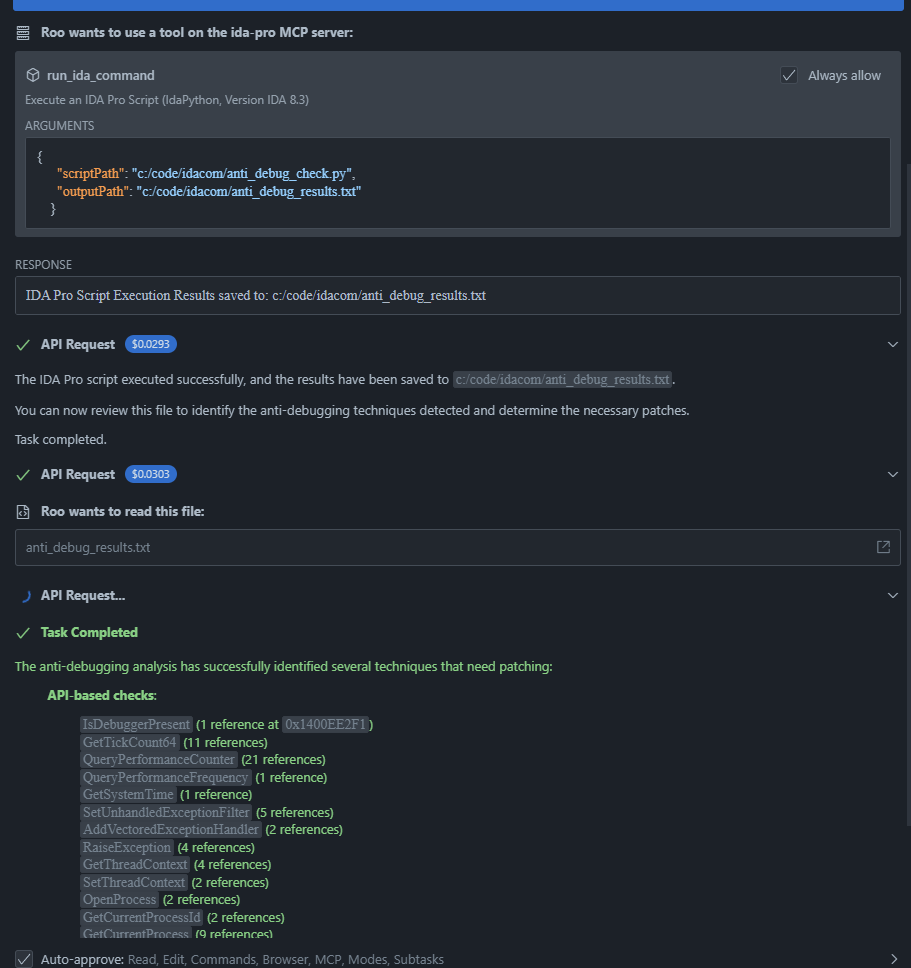
This MCP server enables AI assistants to interact with IDA Pro, a popular disassembler and debugger used for reverse engineering. It provides three main components: an IDA Pro plugin that creates an HTTP server, a TypeScript client for communication, and the MCP server itself that exposes IDA functionality to AI assistants. The server allows AI systems to execute Python scripts in IDA Pro, retrieve binary information, and perform advanced analysis tasks like searching for values, strings, and byte sequences.
Try asking AI
After installing, here are 5 things you can ask your AI assistant:
When to choose this
Choose this MCP server when you need AI assistance for reverse engineering tasks and are already using IDA Pro as your primary disassembler.
When NOT to choose this
Don't choose this if you don't have a license for IDA Pro, need to support other disassemblers, or require a more integrated reverse engineering platform.
Tools this server exposes
8 tools extracted from the READMErun_ida_commandrun_ida_command(scriptPath: string, outputPath?: string)Executes an IDA Pro Python script.
search_immediate_valuesearch_immediate_value(value: string, radix?: number, startAddress?: string, endAddress?: string)Searches for immediate values in the binary's instructions.
search_textsearch_text(text: string, caseSensitive?: boolean, startAddress?: string, endAddress?: string)Searches for text strings in the binary.
search_byte_sequencesearch_byte_sequence(bytes: string, startAddress?: string, endAddress?: string)Searches for a specific byte sequence in the binary.
get_disassemblyget_disassembly(startAddress: string, endAddress?: string, count?: number)Gets disassembly for an address range.
get_functionsget_functions()Gets the list of functions from the binary.
get_exportsget_exports()Gets the list of exports from the binary.
get_stringsget_strings()Gets the list of strings from the binary.
Comparable tools
Installation
Installation
1. Install the IDA Pro Remote Control Plugin
- Copy
ida_remote_server.pyto your IDA Pro plugins directory:
- Windows: %PROGRAMFILES%\IDA Pro\plugins - macOS: /Applications/IDA Pro.app/Contents/MacOS/plugins - Linux: /opt/idapro/plugins
- Start IDA Pro and open a binary file.
- The plugin will automatically start an HTTP server on
127.0.0.1:9045.
2. Install the MCP Server
- Clone this repository
- Install dependencies:
npm install - Build the project:
npm run build - Configure the MCP server in your AI assistant's MCP settings:
{
  "mcpServers": {
    "ida-pro": {
      "command": "node",
      "args": ["path/to/ida-server/dist/index.js"],
      "env": {}
    }
  }
}
FAQ
- Is IDA Pro required to use this MCP server?
- Yes, this MCP server is specifically designed to work with IDA Pro 8.3 or later.
- Can the IDA Pro Remote Control Plugin be accessed remotely?
- By default, it only listens on localhost (127.0.0.1) for security. Remote access can be enabled by modifying the DEFAULT_HOST variable in ida_remote_server.py, but this is not recommended due to security implications.
Compare mcp-server-idapro with
Last updated · Auto-generated from public README + GitHub signals.