director
by fdmtl·★ 478·Score 51
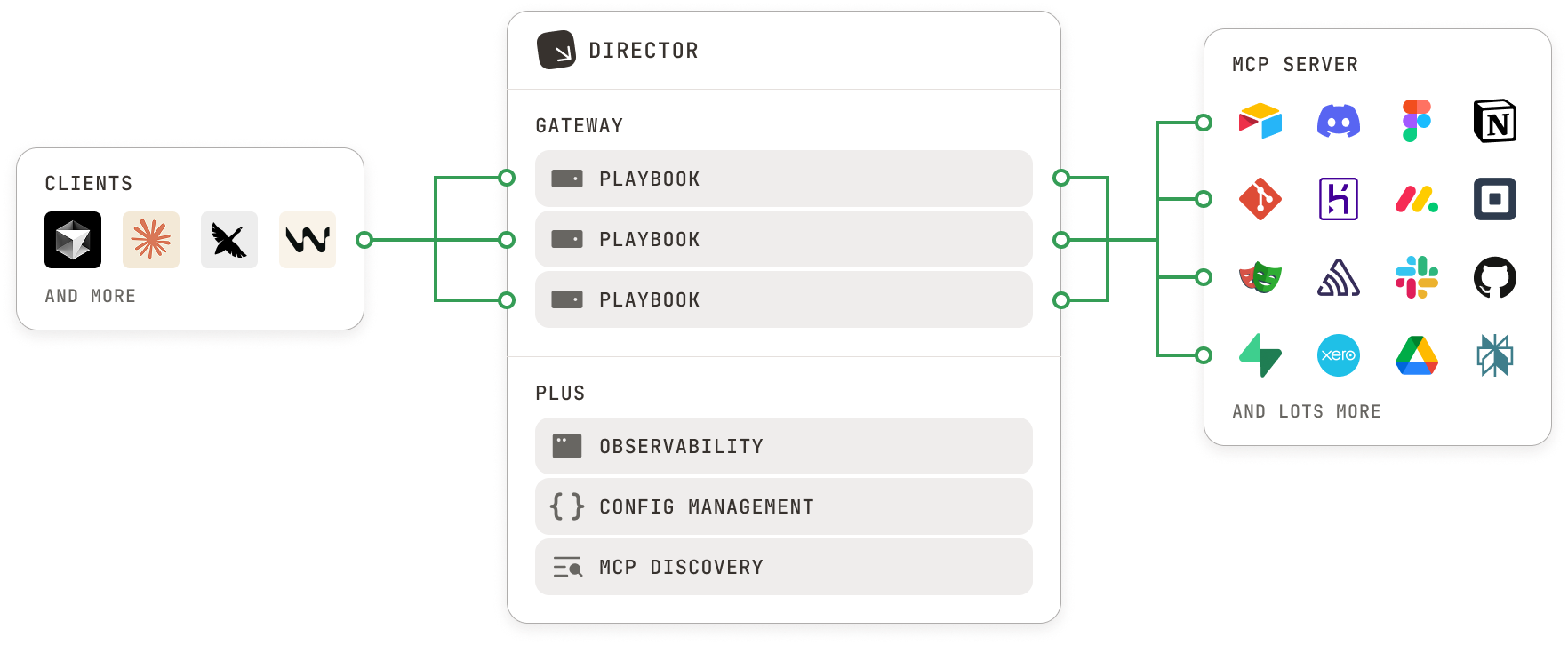
Director is a local-first platform for creating and managing MCP playbooks that enhance AI agents with new skills and capabilities.
Overview
Director provides a comprehensive solution for organizing and managing MCP tools, prompts, and configurations through 'playbooks' that can be easily switched in and out of context. The service acts as a gateway between AI agents and MCP servers, offering tool filtering, logging, strong isolation, and unified OAuth functionality. With 1-click integration for popular AI clients like Claude Code, Claude Desktop, Cursor, and VSCode, Director enables users to enhance their AI agents with specialized capabilities without complex setup.
Try asking AI
After installing, here are 5 things you can ask your AI assistant:
When to choose this
Choose Director when you need to manage multiple MCP servers with different configurations, want to bundle tools and prompts into portable playbooks, or need centralized authentication and logging for MCP services.
When NOT to choose this
Avoid Director if you need a lightweight, minimal MCP integration without additional management overhead, or if you prefer working directly with individual MCP servers rather than a management layer.
Tools this server exposes
12 tools extracted from the READMElist-toolsList all tools available in a playbook
get-toolGet details of a specific tool in a playbook
call-toolExecute a specific tool in a playbook with provided arguments
lsList all available playbooks
getShow detailed information about a specific playbook
createCreate a new playbook
destroyDelete a playbook
addAdd an MCP server to a playbook
removeRemove an MCP server from a playbook
prompts-lsList all prompts in a playbook
prompts-getGet details of a specific prompt in a playbook
registry-lsList all available MCP servers in the registry
Note: Tools were extracted from the CLI reference section in the README, specifically from the 'MCP' commands. These appear to be MCP tools provided by the Director server itself rather than tools from other servers that Director might manage.
Comparable tools
Installation
Installation
# Install Director via the 1-liner
$ curl -LsSf https://director.run/install.sh | sh

# Alternative: Install via npm
$ npm install -g @director.run/cli
Claude Desktop Integration
Add to Claude Desktop config:
{
  "mcpServers": {
    "director": {
      "command": "director",
      "args": ["serve"]
    }
  }
}
FAQ
- What is a playbook in Director?
- A playbook is a set of MCP tools, prompts, and configuration that provides specific capabilities to an AI agent. Playbooks are portable and can be switched in and out of context easily.
- How is Director different from regular MCP servers?
- Director acts as a gateway between AI agents and MCP servers, allowing you to organize and manage multiple MCP servers through playbooks. It provides additional features like tool filtering, unified OAuth, and centralized logging.
Compare director with
Last updated · Auto-generated from public README + GitHub signals.