mcp-playground
by Elkhn·★ 45·Score 45
A Streamlit-based chat playground with plug-and-play MCP server support for various LLM providers.
Overview
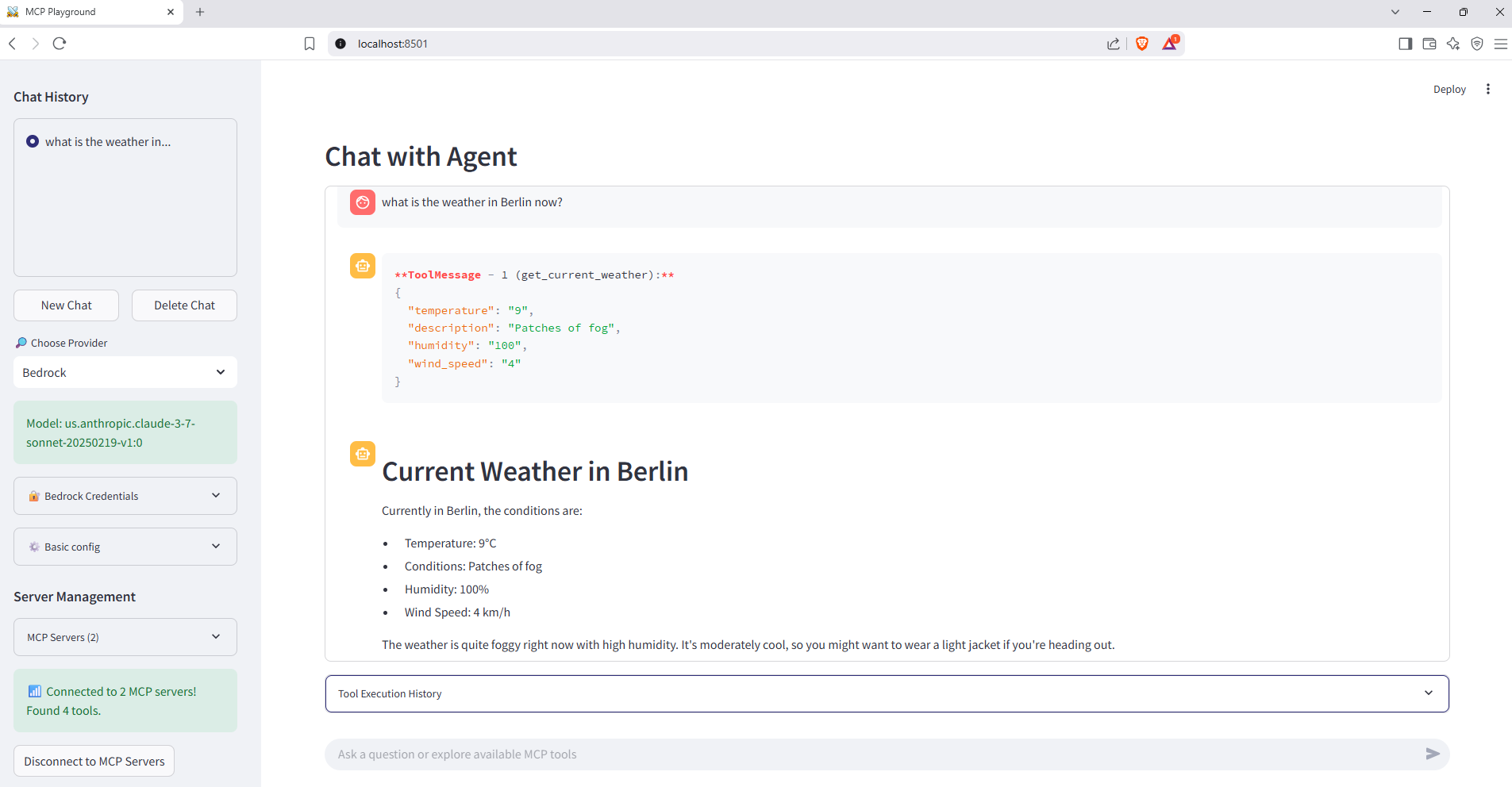
MCP Playground is a comprehensive chat application that combines Streamlit UI with MCP protocol support for external tool integration. It demonstrates a production-ready architecture using Docker Compose to orchestrate multiple services, including MCP servers for weather and currency data. The application is provider-agnostic, supporting OpenAI, Amazon Bedrock, Anthropic, Google Gemini, and Groq through LangChain and LangGraph implementations.
Try asking AI
After installing, here are 3 things you can ask your AI assistant:
When to choose this
Choose this playground when you need to quickly prototype and test MCP tool integrations across multiple LLM providers with minimal setup.
When NOT to choose this
Don't choose this for production deployments as it's designed for development/testing purposes and lacks robust authentication mechanisms.
Tools this server exposes
4 tools extracted from the READMEget_current_weatherasync def get_current_weather(location: str) -> dictGet current weather information for a specific location
get_forecastasync def get_forecast(location: str, days: int = 3) -> dictGet weather forecast for a specified location and number of days
get_currency_ratesasync def get_currency_rates(date: str = None) -> dictGet current currency exchange rates
convert_currencyasync def convert_currency(amount: float, from_currency: str, to_currency: str, date: str = None) -> dictConvert an amount from one currency to another
Comparable tools
Installation
Installation
Prerequisites:
- Docker ≥ 24
- Docker Compose
- At least one LLM provider API key
Quick Start:
git clone https://github.com/Elkhn/mcp-playground.git
cd mcp-playground
docker compose up --build
Access the application at http://localhost:8501
To integrate with Claude Desktop, add to your claude_desktop_config.json:
{
  "mcpServers": {
    "weather": {
      "command": "docker",
      "args": ["run", "--rm", "-p", "8000:8000", "weather-server"]
    }
  }
}
Compare mcp-playground with
Last updated · Auto-generated from public README + GitHub signals.