nocodb-mcp-server
by edwinbernadus·★ 70·Score 46
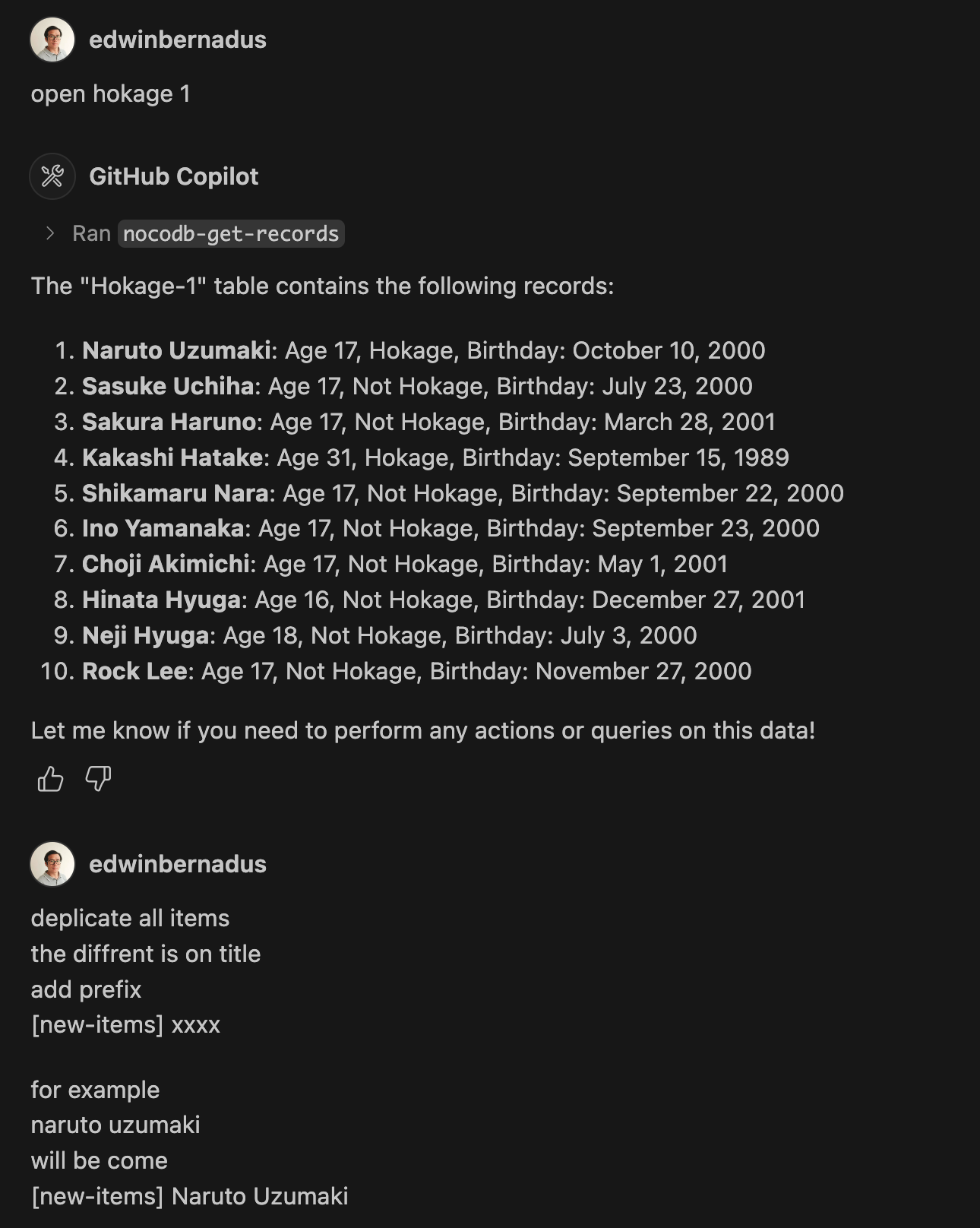
NocoDB MCP Server enables CRUD operations on NocoDB databases through natural language commands.
Overview
The NocoDB MCP Server provides a seamless interface for interacting with NocoDB databases using the Model Context Protocol. It allows users to perform comprehensive database operations including creating, reading, updating, and deleting records, as well as managing table structures through natural language prompts. The server supports bulk operations and file uploads, making it suitable for managing database contents efficiently.
Try asking AI
After installing, here are 5 things you can ask your AI assistant:
When to choose this
Choose this server if you're already using NocoDB and want to interact with it through conversational AI interfaces or MCP-enabled tools.
When NOT to choose this
Avoid this if you need access to database types other than NocoDB, or if you require more advanced database operations beyond basic CRUD.
Tools this server exposes
9 tools extracted from the READMEget_recordsRetrieve data from a NocoDB table
create_recordCreate a new record in a NocoDB table
update_recordUpdate existing records in a NocoDB table
delete_recordDelete records from a NocoDB table
add_columnAdd a new column to a NocoDB table
delete_columnDelete a column from a NocoDB table
create_tableCreate a new table in NocoDB from JSON files
bulk_create_recordsCreate multiple records in a NocoDB table at once
bulk_delete_recordsDelete multiple records in a NocoDB table at once
Note: Tool names were inferred from example prompts in the README, as there wasn't a dedicated 'Tools' section with formal definitions. The actual tool names might differ from the action phrases used in examples.
Comparable tools
Installation
Installation
- Install Node.js and TypeScript
- Clone the repository and install dependencies:
npm install
npm run build- Set up environment variables in a
.envfile:
NOCODB_URL=https://your-nocodb-instance.com
NOCODB_API_TOKEN=your_api_token_here
NOCODB_BASE_ID=your_base_id_here- Configure Claude Desktop by adding to
claude_desktop_config.json:
{
  "mcpServers": {
    "nocodb": {
      "command": "node",
      "args": ["{working_folder}/dist/start.js"],
      "env": {
        "NOCODB_URL": "https://your-nocodb-instance.com",
        "NOCODB_BASE_ID": "your_base_id_here",
        "NOCODB_API_TOKEN": "your_api_token_here"
      }
    }
  }
}
Alternatively, use directly from CLI:
npx -y nocodb-mcp-server {NOCODB_URL} {NOCODB_BASE_ID} {NOCODB_API_TOKEN}FAQ
- How do I find my NOCODB_BASE_ID?
- Check the URL of your Nocodb instance. It follows the format: https://app.nocodb.com/#/{USERNAME}/{NOCODB_BASE_ID}/{TABLE_ID}
- Can I use this server with the cloud version of NocoDB?
- Yes, use NOCODB_URL=https://app.nocodb.com for the cloud version.
Compare nocodb-mcp-server with
Last updated · Auto-generated from public README + GitHub signals.