BugPack
by duhuazhu·★ 22·Score 43
BugPack packages bug screenshots into AI-ready fix instructions with an MCP server.
Overview
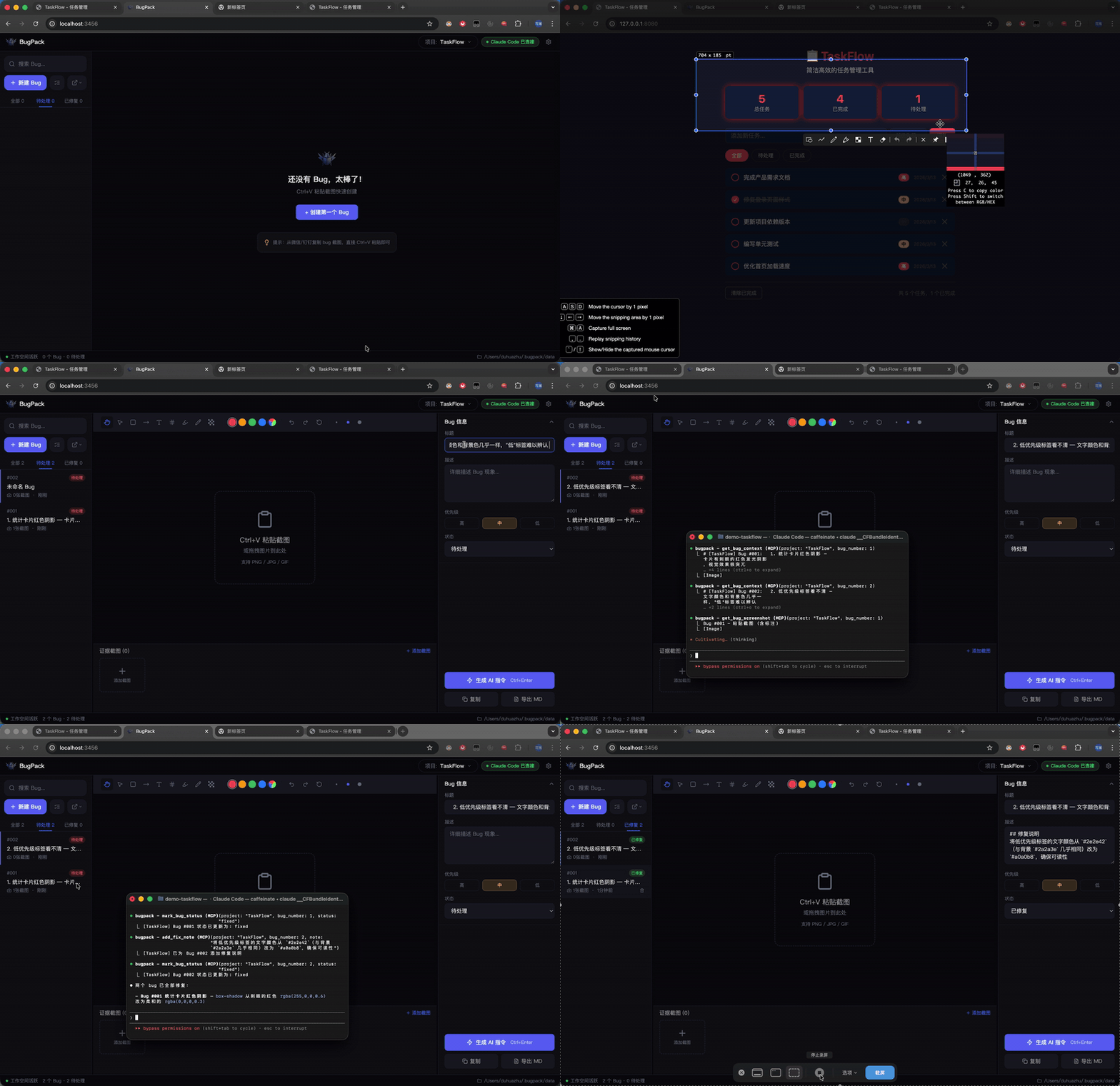
BugPack is a local-first tool that transforms bug screenshots into structured AI-ready instructions. It features a MCP server that allows AI coding agents to directly access bug context, eliminating manual copy-paste workflows. The tool supports multiple MCP-compatible AI coding tools like Claude Code, Cursor, Windsurf, Cline, etc., and provides annotation capabilities, AI instruction generation, and platform integrations with Jira, Linear, and more.
Try asking AI
After installing, here are 5 things you can ask your AI assistant:
When to choose this
Choose BugPack if you're an individual developer or team that frequently reports and fixes bugs from screenshots, and want AI coding agents to directly access and fix these issues without manual copy-paste.
When NOT to choose this
Don't choose BugPack if you need a cloud-based bug tracking system with multi-user collaboration features, as it's designed for local-only use with no built-in sharing capabilities.
Tools this server exposes
5 tools extracted from the READMElist_bugsList all bugs with status/project filtering
get_bug_contextGet full bug context (description + screenshots + environment + files)
get_bug_screenshotGet a single annotated screenshot (base64)
mark_bug_statusUpdate bug status
add_fix_noteAdd fix notes after repair
Comparable tools
Installation
Installation
npx bugpack-mcpClaude Desktop Configuration
Add to ~/.claude.json:
{
  "mcpServers": {
    "bugpack": {
      "type": "stdio",
      "command": "npx",
      "args": ["bugpack-mcp", "--mcp"]
    }
  }
}
VS Code Configuration
Create .vscode/mcp.json:
{
  "servers": {
    "bugpack": {
      "command": "npx",
      "args": ["bugpack-mcp", "--mcp"]
    }
  }
}
FAQ
- What AI coding tools work with BugPack?
- BugPack works with any MCP-compatible AI coding tool including Claude Code, Cursor, Windsurf, Cline, VS Code with MCP extensions, Trae, MarsCode, Augment, and others.
- How does BugPack handle my data privacy?
- BugPack is 100% local - all data is stored locally on your machine using SQLite. Screenshots are stored in your local filesystem, and no data is sent to external servers.
Compare BugPack with
Last updated · Auto-generated from public README + GitHub signals.