Gearlynx
by drhelius·★ 65·Score 46
Gearlynx is a cross-platform Atari Lynx emulator with embedded MCP server for AI-assisted debugging.
Overview
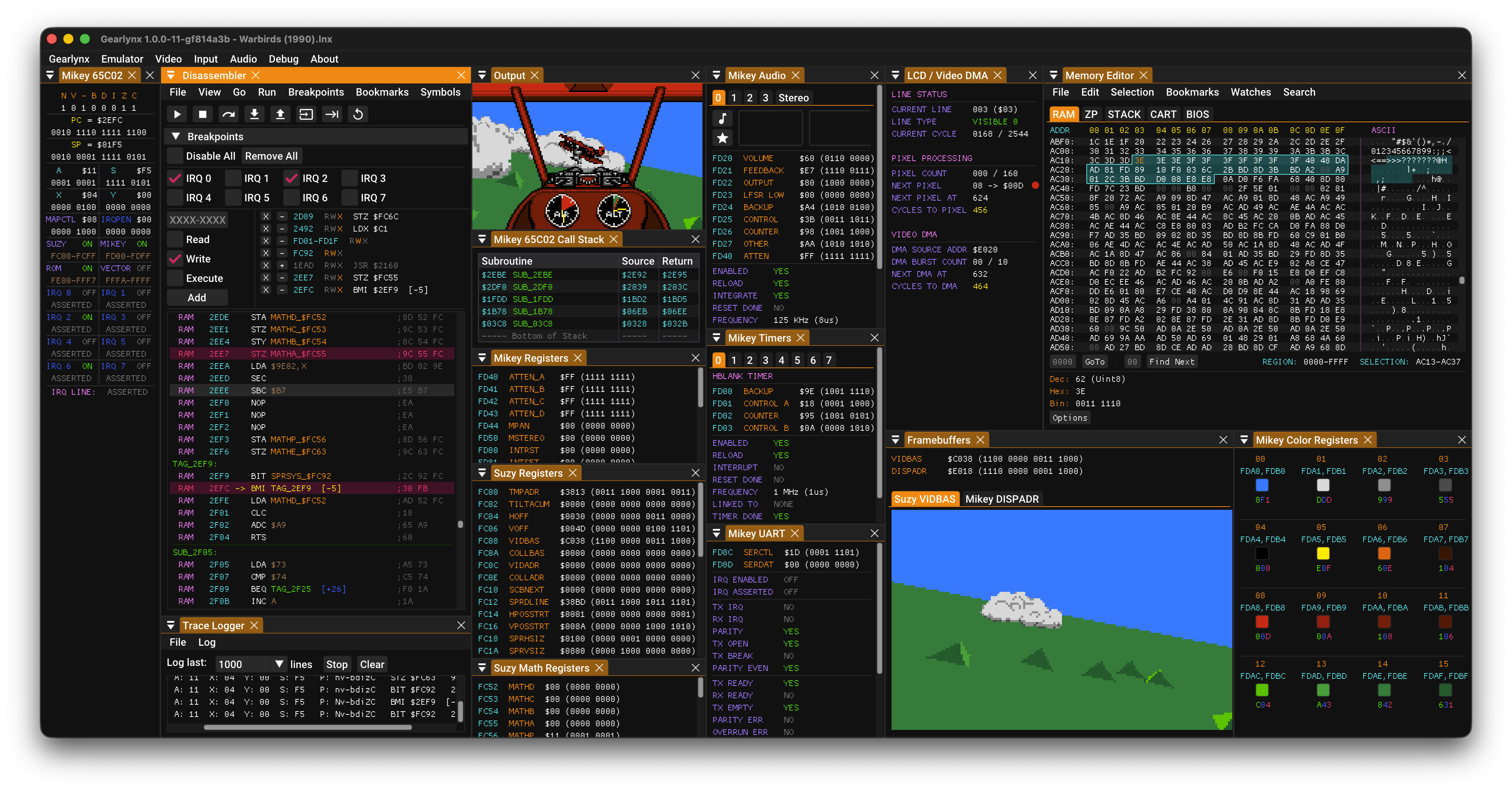
Gearlynx is a high-fidelity Atari Lynx emulator written in C++ that runs across multiple platforms including Windows, macOS, Linux, and through RetroArch on various gaming consoles and embedded systems. The emulator features a sophisticated debugging environment with tools for execution control, memory inspection, breakpoints, and hardware status monitoring. Its integrated MCP server enables AI agents like GitHub Copilot, Claude, and Codex to assist with debugging tasks, making it unique in the retro emulation space.
Try asking AI
After installing, here are 3 things you can ask your AI assistant:
When to choose this
Choose Gearlynx when working with Atari Lynx game development, reverse engineering, or when you need AI assistance debugging vintage console software with precise hardware emulation.
When NOT to choose this
Don't choose Gearlynx if you need emulation of gaming systems other than Atari Lynx, or if you require a more general-purpose debugging framework with broader platform support.
Comparable tools
Installation
Installation
- Download the appropriate binary for your platform from the [GitHub Releases page](https://github.com/drhelius/Gearlynx/releases)
- Extract the archive and run the executable
- Place a Lynx BIOS file in the application directory
Running with MCP Server
To start the emulator with MCP server enabled:
gearlynx --mcp-stdio [rom_file]For HTTP transport:
gearlynx --mcp-http --mcp-http-port 7777 [rom_file]Claude Desktop Configuration
Add to Claude Desktop's config.json:
{
  "mcpServers": {
    "gearlynx": {
      "command": "path/to/gearlynx",
      "args": ["--mcp-stdio"]
    }
  }
}
Compare Gearlynx with
Last updated · Auto-generated from public README + GitHub signals.