Geargrafx
by drhelius·★ 213·Score 49
PC Engine/TurboGrafx-16 emulator with embedded MCP server for AI-assisted debugging.
Overview
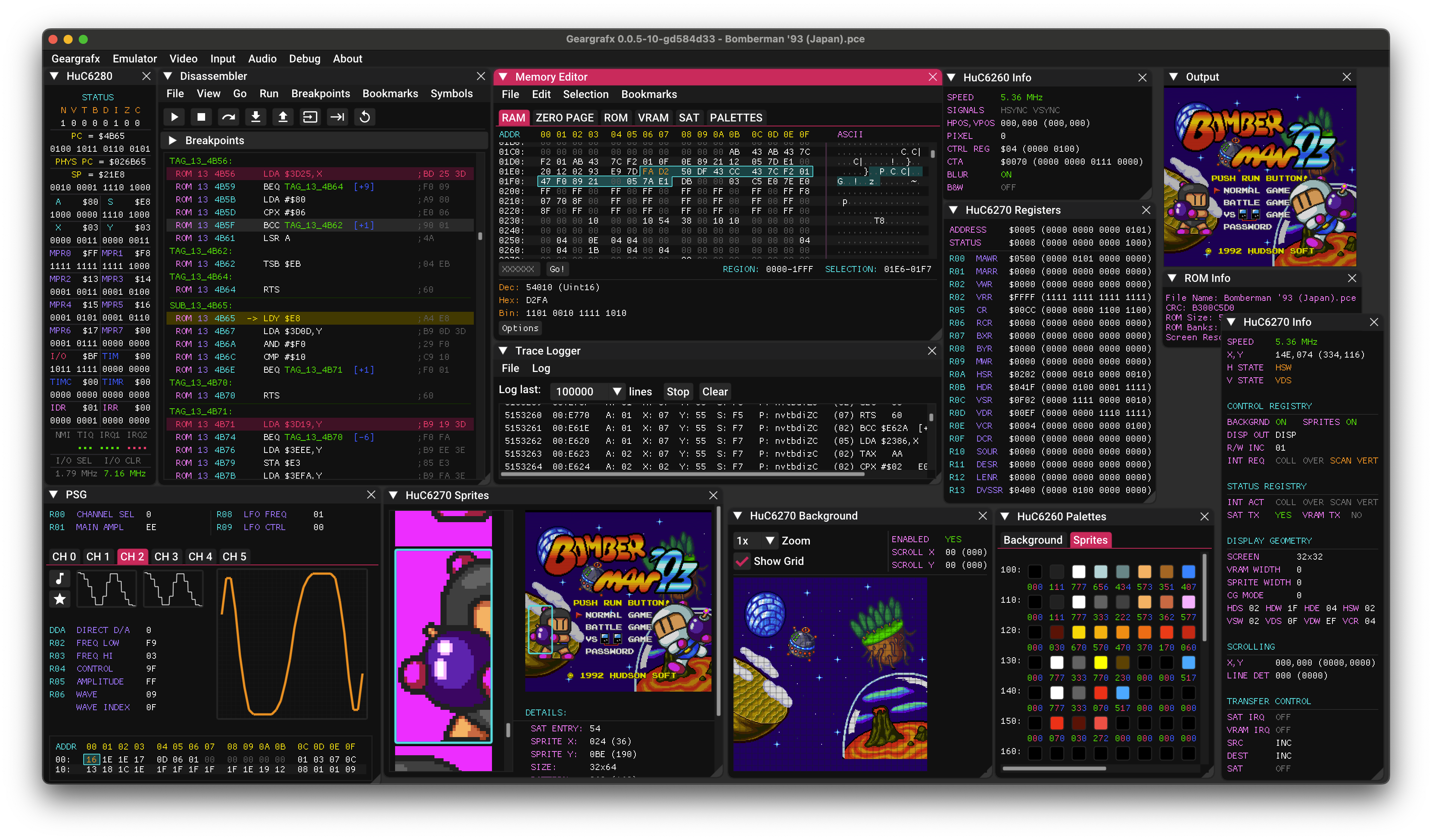
Geargrafx is a highly accurate, cross-platform emulator for PC Engine/TurboGrafx-16 systems that includes an embedded MCP server. The emulator supports various platforms including Windows, macOS, Linux, BSD and RetroArch. The MCP server provides tools for execution control, memory inspection, breakpoints, disassembly, hardware status, rewind and more, enabling AI-assisted debugging through GitHub Copilot, Claude, Codex and similar tools.
Try asking AI
After installing, here are 5 things you can ask your AI assistant:
When to choose this
Choose Geargrafx MCP if you're a retro game developer, reverse engineer, or ROM hacker who wants to leverage AI assistants for debugging game code and analyzing game behavior in real-time.
When NOT to choose this
Don't choose this for modern game development, as it's specifically designed for retro systems. Also consider alternatives if you need a more generalized debugging tool or if you're not interested in TurboGrafx-16/PC Engine systems.
Comparable tools
Installation
Installation
Geargrafx is available for Windows, macOS, Linux, BSD, and as a RetroArch core.
Binary Downloads
- Windows: Download from [GitHub Releases](https://github.com/drhelius/Geargrafx/releases)
- macOS:
brew install --cask drhelius/geardome/geargrafx - Linux: Ubuntu PPA or Fedora RPM packages available
MCP Server Setup
Geargrafx can run with MCP server enabled:
geargrafx --mcp-stdio  # for stdio transport
geargrafx --mcp-http   # for HTTP transport (default port: 7777)
Claude Desktop Configuration
Add to Claude Desktop config.json:
{
  "mcpServers": {
    "geargrafx": {
      "command": "path/to/geargrafx",
      "args": ["--mcp-stdio"]
    }
  }
}
FAQ
- What MCP tools does Geargrafx provide?
- Geargrafx exposes tools for execution control, memory inspection, breakpoints, disassembly, hardware status, rewind and more to support AI-assisted debugging.
- Which AI agents work with Geargrafx MCP server?
- The MCP server is compatible with GitHub Copilot, Claude, Codex and similar AI tools that support the Model Context Protocol.
Compare Geargrafx with
Last updated · Auto-generated from public README + GitHub signals.