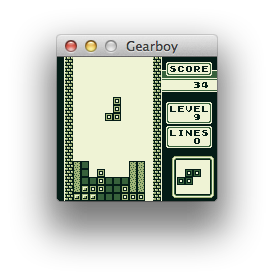
Gearboy
by drhelius·★ 1,130·Score 53
Game Boy emulator with embedded MCP server for AI-assisted debugging and ROM analysis.
Overview
Gearboy is a cross-platform Game Boy / Game Boy Color / Super Game Boy emulator written in C++ that includes an embedded MCP server for debugging and tooling. The MCP server enables AI-assisted debugging through GitHub Copilot, Claude, Codex and similar agents, providing tools for execution control, memory inspection, breakpoints, disassembly, and hardware status. It also supports Agent Skills that teach AI assistants how to effectively use the emulator for specific tasks like debugging and ROM hacking.
Try asking AI
After installing, here are 6 things you can ask your AI assistant:
When to choose this
Choose this when you need AI-assisted debugging for Game Boy development or ROM hacking, especially if you're already familiar with retro game development tools.
When NOT to choose this
Don't choose this if you need MCP functionality for systems other than Game Boy, or if you're looking for a general-purpose emulator with broader AI capabilities.
Tools this server exposes
12 tools extracted from the READMEstep_instructionExecute a single CPU instruction and pause
runRun the emulator until interrupted
pausePause emulator execution
resetReset the emulator to initial state
load_romLoad a ROM file into the emulator
read_memoryRead memory from a specific address
write_memoryWrite a value to a specific memory address
set_breakpointSet a breakpoint at a specific address
clear_breakpointRemove a breakpoint at a specific address
list_breakpointsList all currently set breakpoints
disassembleDisassemble instructions at a specific address
get_registersGet current CPU register values
Comparable tools
Installation
Installation
Gearboy can be downloaded as pre-built binaries for Windows, macOS, and Linux from the [releases page](https://github.com/drhelius/Gearboy/releases).
To use the MCP server:
- Start Gearboy with one of these options:
- --mcp-stdio - Auto-start MCP server with stdio transport - --mcp-http - Auto-start MCP server with HTTP transport - --mcp-http-port N - Specify HTTP port (default: 7777)
- For Claude Desktop integration, add the following to your
claude_desktop_config.json:
{
  "mcpServers": {
    "gearboy": {
      "command": "path/to/gearboy",
      "args": ["--mcp-stdio"]
    }
  }
}
Alternatively, the --headless option can be used to run without GUI when using MCP.
FAQ
- What platforms does Gearboy MCP server support?
- Gearboy runs on Windows, macOS, Linux, BSD and RetroArch, with the MCP server available across all platforms through stdio or HTTP transport.
- How can I use the Agent Skills feature?
- Install Agent Skills with `npx skills add drhelius/gearboy` to teach AI assistants how to effectively use the emulator for debugging and ROM hacking tasks.
- What debugging tools does the MCP server provide?
- The server exposes tools for execution control, memory inspection, breakpoints, disassembly, hardware status, rewind, and more for AI-assisted debugging.
On Hacker News
Recent discussion from the developer community.
- Story by jfoucher · 2022-03-24
Compare Gearboy with
Last updated · Auto-generated from public README + GitHub signals.