FocusRelayMCP
by deverman·★ 25·Score 46
MCP server for OmniFocus that allows querying tasks, projects, and tags using natural language.
Overview
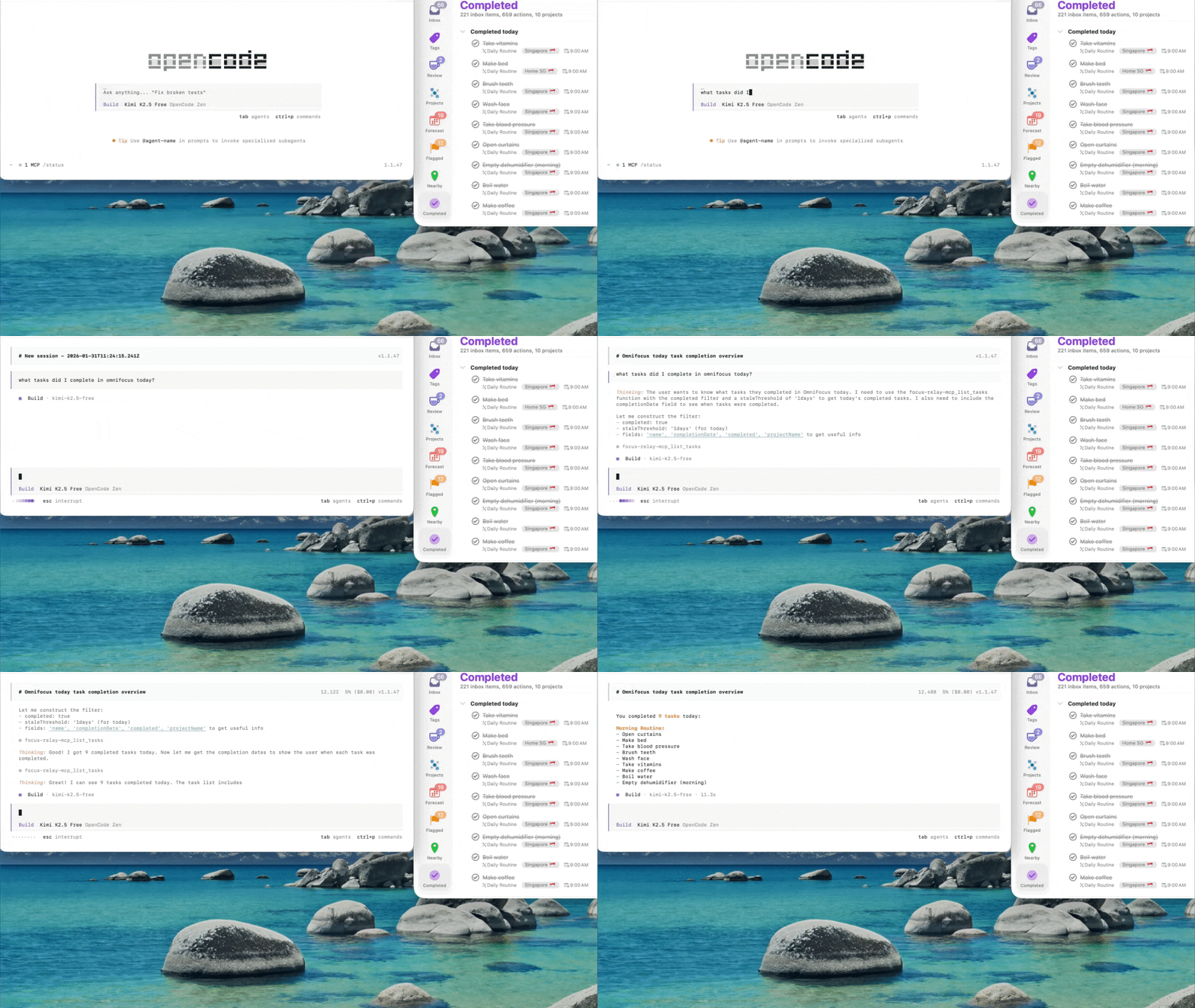
FocusRelayMCP is a Model Context Protocol server specifically designed for OmniFocus on macOS. It enables AI assistants to query tasks, projects, and tags through natural language commands instead of manual navigation through endless lists. The server provides comprehensive filtering capabilities including time-based queries, project health detection, context awareness, and completion date filtering. It's built with Swift and offers multiple installation methods including Homebrew, manual binary installation, and building from source.
Try asking AI
After installing, here are 5 things you can ask your AI assistant:
When to choose this
Choose FocusRelayMCP if you're an OmniFocus user who wants natural language access to your task management system without leaving your AI assistant interface.
When NOT to choose this
Avoid if you need write access to OmniFocus (this is read-only), use a different task management system, or don't want to install an additional plugin in OmniFocus.
Tools this server exposes
5 tools extracted from the READMElist_tasksQuery tasks with various filters including due dates, completion status, tags, and projects
list_projectsQuery projects with status, task counts, and health indicators
list_tagsQuery tags with task counts
get_task_countsGet aggregate counts for tasks with various filter combinations
get_project_countsGet counts of projects and actions with completion date filtering
Comparable tools
Installation
Installation
**Quick Overview:** Regardless of which installation method you choose, you'll need to complete these steps:
- **Install the binary** (via Homebrew, manual download, or build from source)
- **Install the OmniFocus plugin** (Step 2 below)
- **Configure MCP** in your client (Step 3 below)
- **Restart OmniFocus** (Step 4 below)
Option A: Homebrew Installation (Recommended for macOS)
If you have [Homebrew](https://brew.sh) installed, this is the easiest method:
# Add the tap (once)
brew tap deverman/focus-relay

# Install the MCP server and OmniFocus plugin
brew install focusrelay
Step 3: Configure MCP
Add to your Claude Desktop config:
{
  "mcp": {
    "focusrelay": {
      "type": "local",
      "command": ["/opt/homebrew/bin/focusrelay", "serve"],
      "enabled": true
    }
  }
}
Step 4: Restart OmniFocus
osascript -e 'tell application "OmniFocus" to quit' && sleep 2 && open -a "OmniFocus"FAQ
- What if I get a timeout error when querying OmniFocus?
- You need to approve the security dialog the first time. When you ask a query, OmniFocus will show a security prompt asking 'Allow script to control OmniFocus?' - click 'Run Script'. If you don't see the prompt, check if OmniFocus is behind other windows.
- How do I update FocusRelayMCP?
- For Homebrew users, simply run `brew upgrade focusrelay`. For other installations, download the latest release. IMPORTANT: When upgrading, you must reinstall the OmniFocus plugin by copying it again to the plugin directory.
Compare FocusRelayMCP with
Last updated · Auto-generated from public README + GitHub signals.