PyWry
by deeleeramone·★ 81·Score 46
PyWry is a cross-platform rendering engine that provides MCP server tools for creating interactive widgets and dashboards.
Overview
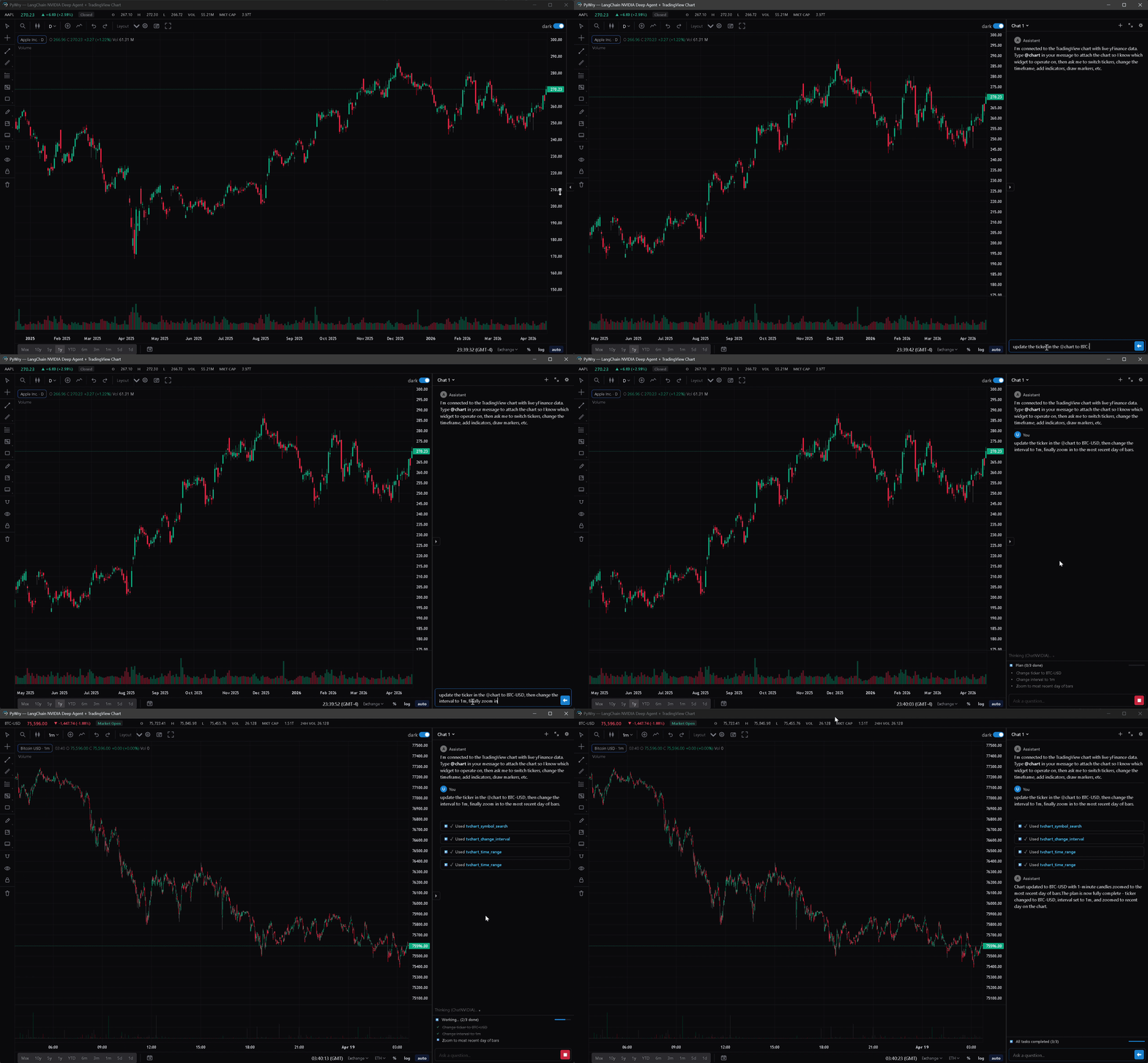
PyWry is a Python-based UI toolkit that enables developers to create native desktop apps, Jupyter widgets, and web applications from a single API. It features comprehensive MCP server functionality with tools for creating interactive widgets, displaying data visualizations, integrating chat interfaces, and building TradingView-style charts. The MCP server exposes tools like create_widget, show_plotly, show_dataframe, and create_chat_widget, delivering HTML artifacts via the Model Context Protocol.
Try asking AI
After installing, here are 5 things you can ask your AI assistant:
When to choose this
Choose PyWry when you need to build interactive UI components for AI applications and want to deploy them across desktop, web, and notebook environments with minimal code changes.
When NOT to choose this
Don't choose PyWry if you need complex form controls beyond basic UI elements, or if you require extensive native OS integration that webview cannot provide.
Tools this server exposes
6 tools extracted from the READMEcreate_widgetCreate a custom widget with HTML content and toolbar components
show_plotlyDisplay a Plotly chart as an interactive widget
show_dataframeRender a pandas DataFrame in an interactive AgGrid widget
show_tvchartDisplay an interactive TradingView chart with technical analysis tools
create_chat_widgetCreate a streaming chat widget with threads and artifacts
get_widget_appGet an updated snapshot of an existing widget
Comparable tools
Installation
Install PyWry with MCP support:
pip install 'pywry[mcp]'Start the MCP server:
pywry mcp --transport stdioFor Claude Desktop, add to config.json:
{
  "mcpServers": {
    "pywry": {
      "command": "pywry",
      "args": ["mcp", "--transport", "stdio"]
    }
  }
}
FAQ
- What output formats does PyWry support?
- PyWry supports three output targets: native desktop windows via OS webview, Jupyter widgets for notebook environments, and browser tabs as web applications.
- How do the MCP server tools work?
- Widget-creating tools return an AppArtifact - a self-contained HTML snapshot delivered as an MCP EmbeddedResource with mimeType text/html. Each render bumps a widget revision, keeping a live WebSocket bridge to Python for the latest version.
Compare PyWry with
Last updated · Auto-generated from public README + GitHub signals.