dbt-mcp
by dbt-labs·★ 562·Score 53
A comprehensive MCP server for dbt Core, Fusion, and Platform, providing SQL, semantic layer, and dbt CLI tools.
Overview
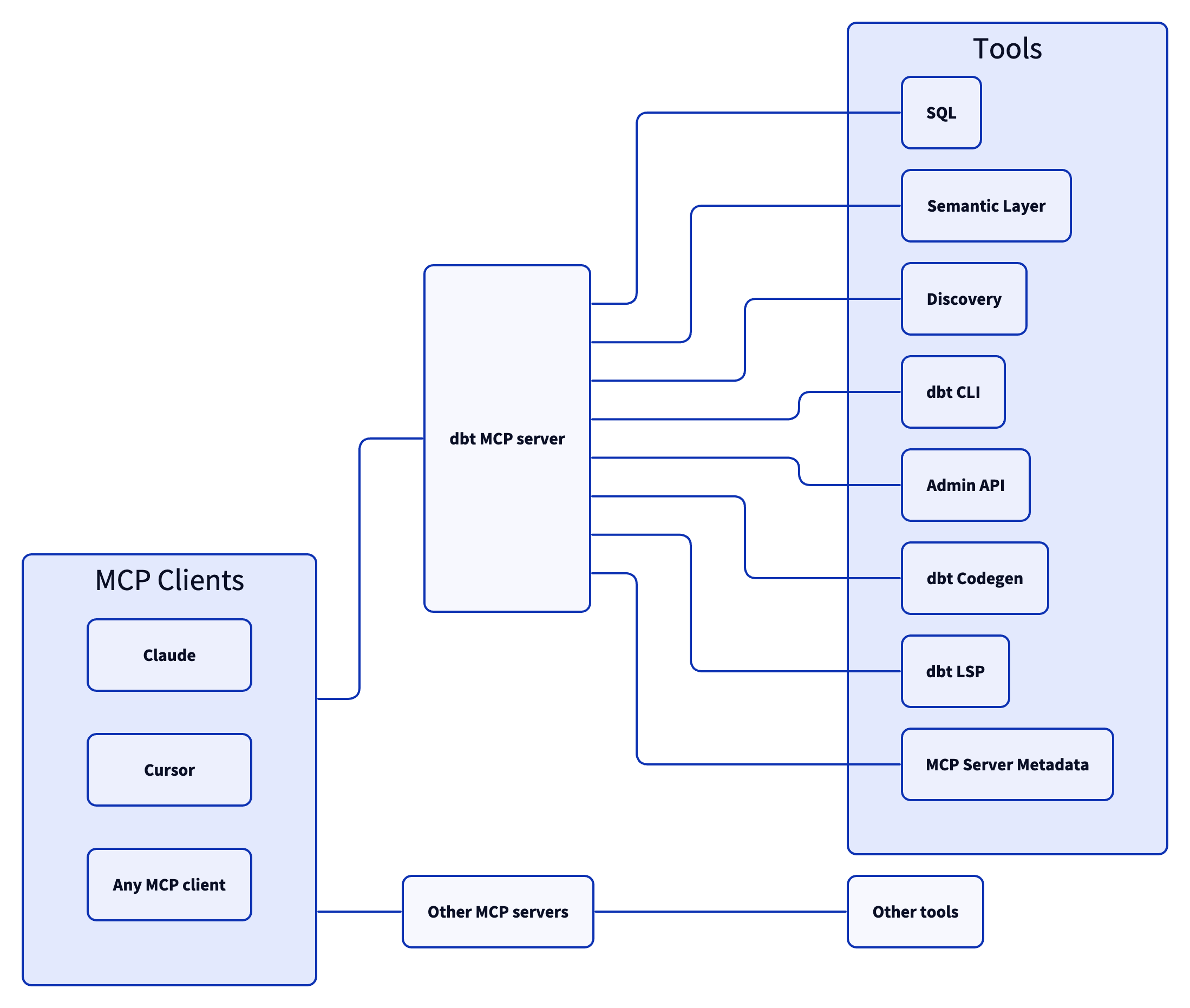
The dbt MCP server is a production-ready implementation by dbt Labs that enables AI agents to interact with dbt projects through the Model Context Protocol. It offers extensive functionality across multiple categories including SQL execution, semantic layer operations, dbt CLI commands, and documentation management. The server provides tools for model discovery, lineage analysis, metric queries, and even code generation, making it a powerful integration for data teams looking to enhance their dbt workflows with AI assistance.
Try asking AI
After installing, here are 5 things you can ask your AI assistant:
When to choose this
Choose dbt MCP if you're working with dbt projects and want AI agents to understand your data model structure, execute SQL against your warehouse, or manage dbt operations through natural language.
When NOT to choose this
Don't choose this if you're not using dbt or need write access beyond what dbt CLI provides - it's designed for read analysis and dbt-specific operations rather than general database management.
Tools this server exposes
12 tools extracted from the READMEexecute_sqlExecutes SQL on dbt Platform infrastructure with Semantic Layer support.
text_to_sqlGenerates SQL from natural language using project context.
query_metricsExecutes metric queries with filtering and grouping options.
get_model_detailsGets model details including compiled SQL, columns, and schema.
get_lineageGets full lineage graph with type and depth filtering.
runExecutes models to materialize them in the database.
generate_model_yamlGenerates model YAML with columns, option to inherit upstream descriptions.
fusion.compile_sqlCompiles SQL in project context via dbt Platform.
search_product_docsSearches docs.getdbt.com for pages matching a query.
get_job_detailsGets job configuration including triggers, schedule, and dbt commands.
list_metricsRetrieves all defined metrics.
get_model_healthGets health signals: run status, test results, and upstream source freshness.
Comparable tools
Installation
Installation
Claude Desktop
Add to your Claude Desktop configuration:
{
  "mcpServers": {
    "dbt": {
      "command": "npx",
      "args": ["@dbt-labs/dbt-mcp"],
      "env": {
        "DBT_PROJECT_DIR": "/path/to/your/dbt/project"
      }
    }
  }
}
Other MCP clients
Use the experimental MCP bundle (dbt-mcp.mcpb) available in the latest release assets. Follow the [mcpb CLI](https://github.com/modelcontextprotocol/mcpb) documentation to install or inspect the bundle.
npm install -g @modelcontextprotocol/mcpb
mcpb install https://github.com/dbt-labs/dbt-mcp/releases/download/vX.X.X/dbt-mcp.mcpb
FAQ
- What is the dbt MCP server?
- The dbt MCP server is a Model Context Protocol implementation that provides AI agents with tools to interact with dbt projects, including SQL execution, semantic layer operations, and dbt CLI commands.
- Which dbt products does this server support?
- The server supports dbt Core, dbt Fusion, and dbt Platform, with varying functionality available depending on your specific dbt setup and access level.
On Hacker News
Recent discussion from the developer community.
- Story by duck · 2025-04-21
Compare dbt-mcp with
Last updated · Auto-generated from public README + GitHub signals.