unanet-mcp-server
by culstrup·★ 3·Score 36
MCP server connecting Claude Desktop to Unanet GovCon ERP for natural language project, timesheet, and report management.
Overview
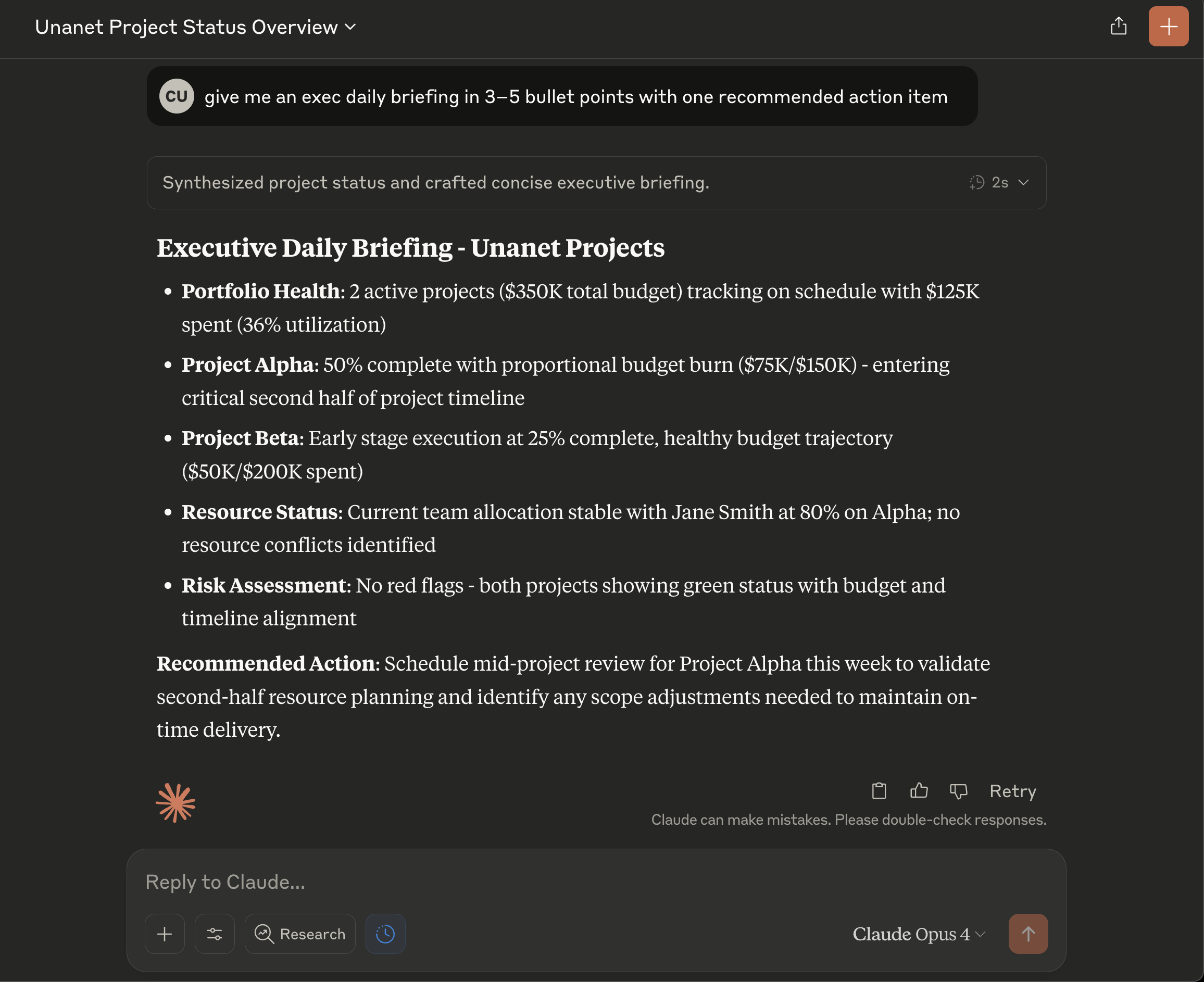
This is a fully-featured MCP server that integrates with Unanet, a government contractor ERP system. It provides comprehensive tools for project management, time and expense tracking, contact management, and financial operations. The server enables users to interact with their Unanet data through natural language queries within Claude Desktop, significantly reducing the time needed for reporting and data retrieval tasks. The codebase is well-structured with TypeScript implementations, includes proper authentication handling, and follows MCP protocol standards.
Try asking AI
After installing, here are 5 things you can ask your AI assistant:
When to choose this
Government contractors already using Unanet who want to save time on reporting, status updates, and data retrieval through natural language interactions.
When NOT to choose this
Not for organizations using other ERP systems as this server is specifically designed for Unanet integration only.
Tools this server exposes
12 tools extracted from the READMEunanet_get_projectsList all projects with filtering options
unanet_get_project_detailsGet detailed information about a specific project
unanet_update_project_budgetUpdate project budget
unanet_get_project_statusGet project status and dashboard metrics
unanet_submit_timesheetSubmit time entries
unanet_get_timesheetsRetrieve timesheets for a date range
unanet_submit_expenseSubmit expense reports
unanet_approve_timesheetApprove submitted timesheets
unanet_create_contactCreate new contacts
unanet_update_leadUpdate lead information
unanet_create_opportunityCreate new opportunities
unanet_get_company_infoGet company details
Comparable tools
Installation
Installation
Windows Users (Recommended)
- Download the project from GitHub as a ZIP file
- Extract to
C:\UnanetMCP\ - Double-click
setup-windows.batand follow the prompts
Mac/Linux Users
- Clone the repository:
git clone https://github.com/culstrup/unanet-mcp-server.git
cd unanet-mcp-server- Install dependencies and build:
npm install
npm run build- Copy
.env.exampleto.envand add your Unanet credentials
Claude Desktop Configuration
Add to ~/Library/Application Support/Claude/claude_desktop_config.json (macOS) or %APPDATA%\Claude\claude_desktop_config.json (Windows):
{
  "mcpServers": {
    "unanet": {
      "command": "node",
      "args": ["/absolute/path/to/unanet-mcp-server/dist/index.js"],
      "env": {
        "UNANET_USERNAME": "your-username",
        "UNANET_PASSWORD": "your-password",
        "UNANET_API_KEY": "your-api-key",
        "UNANET_FIRM_CODE": "your-firm-code",
        "UNANET_BASE_URL": "https://your-instance.unanet.com"
      }
    }
  }
}
FAQ
- What Unanet features does this server support?
- The server supports project management, time/expense tracking, contact management, and financial operations including generating reports, invoices, and billing status checks.
- Do I need API access to Unanet to use this server?
- Yes, you need a valid Unanet API key along with your username, password, firm code, and base URL to authenticate and connect to the Unanet API.
Compare unanet-mcp-server with
Last updated · Auto-generated from public README + GitHub signals.