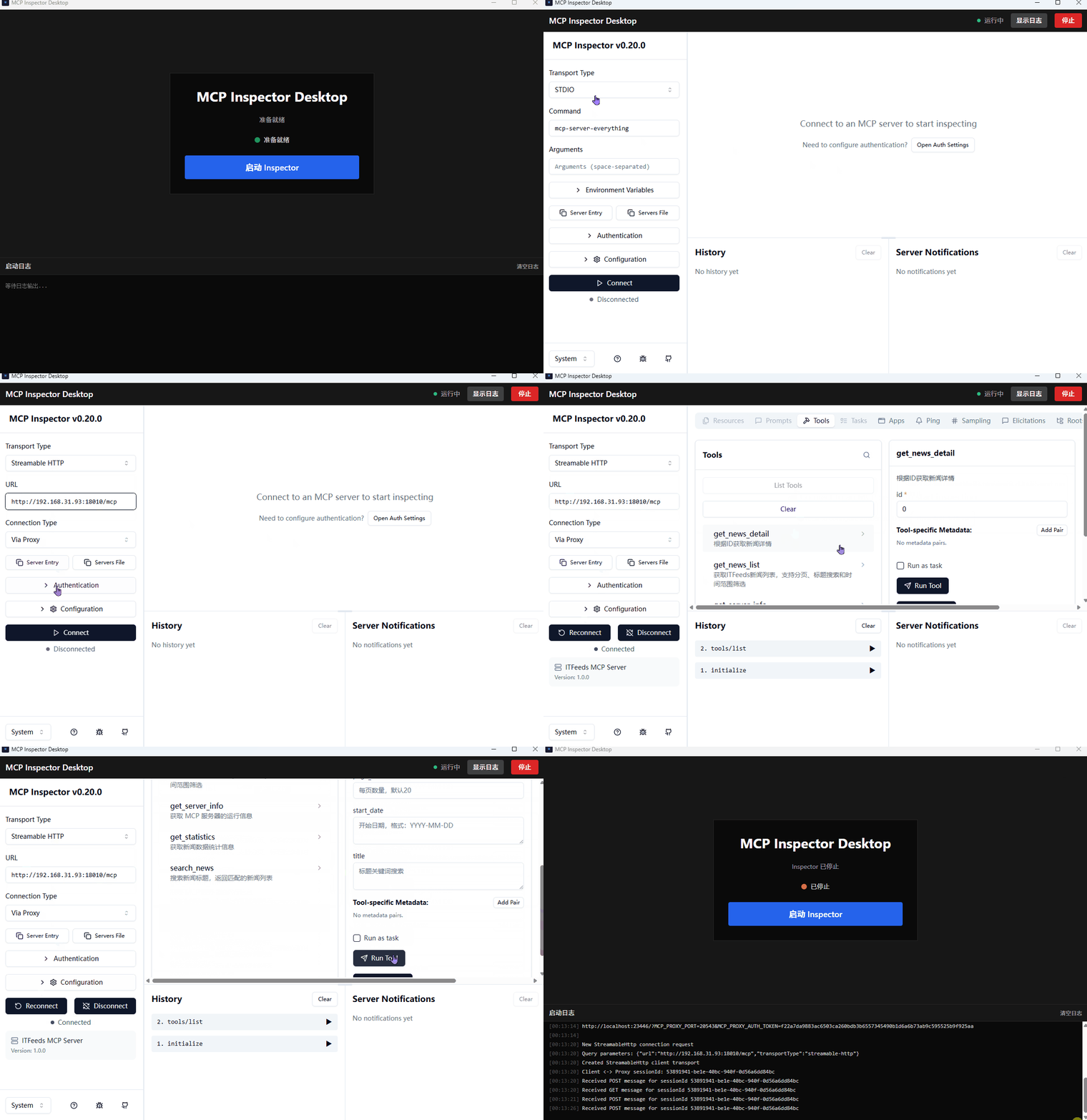
mcp-inspector-desktop
by cicbyte·★ 0·Score 36
A native desktop wrapper for MCP Inspector built with Tauri v2 that provides a seamless debugging experience without browser tabs.
Overview
This is a dedicated desktop application that wraps the MCP Inspector tool, providing a native interface for debugging MCP servers. The application is built with Tauri v2, React 18, and Rust, offering a streamlined experience with features like one-click startup/stop, real-time logging, automatic port allocation, and session token capture. It supports Windows, macOS (Intel & Apple Silicon), and Linux platforms, making it a cross-platform solution for developers working with MCP servers.
Try asking AI
After installing, here are 5 things you can ask your AI assistant:
When to choose this
Choose this when you want a dedicated desktop interface for debugging MCP servers without switching between browser tabs and your development environment.
When NOT to choose this
Don't choose this if you prefer web-based debugging tools or if you need advanced features not provided by MCP Inspector itself.
Comparable tools
Installation
Installation
From Release
Download the appropriate package for your platform from the [Releases](https://github.com/cicbyte/mcp-inspector-desktop/releases) page:
| Platform | Format | |----------|--------| | Windows | .exe / .msi | | macOS | .dmg (Universal Binary) | | Linux | .AppImage / .deb / .rpm |
Prerequisites
- **Node.js** v18+
- **Rust** 1.70+
- **System dependencies**:
- Windows: [WebView2](https://developer.microsoft.com/en-us/microsoft-edge/webview2/) - Linux: libwebkit2gtk-4.1-dev - macOS: No additional dependencies
MCP Inspector CLI
Install the MCP Inspector CLI globally:
npm install -g @modelcontextprotocol/inspectorFAQ
- How do I start using MCP Inspector Desktop?
- After installation, simply click the 'Launch Inspector' button. The application will automatically start the MCP Inspector process and display it in the main window.
- What should I do if macOS blocks the application?
- Right-click the app and select 'Open', then click 'Open' in the dialog. Alternatively, use the terminal command: `xattr -cr /Applications/MCP\ Inspector\ Desktop.app`
Compare mcp-inspector-desktop with
Last updated · Auto-generated from public README + GitHub signals.