mcp-server-chatsum
by chatmcp·★ 1,033·Score 44
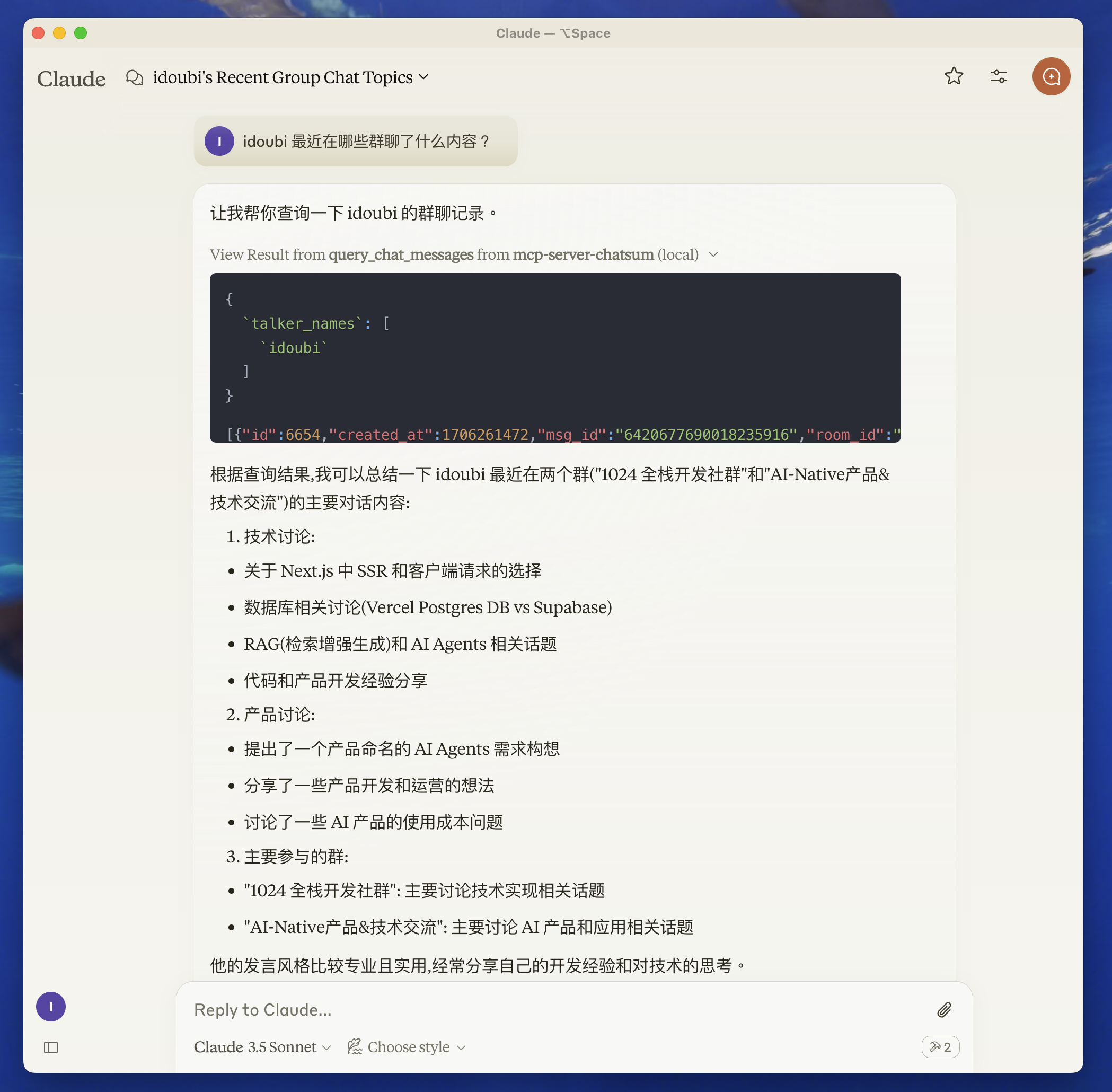
MCP server for querying and summarizing chat messages with database integration.
Overview
mcp-server-chatsum is a TypeScript-based MCP server that enables users to query and summarize their chat messages. It requires a separate chatbot setup to save messages to a database before functioning. The server provides tools to query chat messages with specific parameters and generate summaries based on custom prompts. It includes debugging capabilities through MCP Inspector and supports Claude Desktop integration.
Try asking AI
After installing, here are 5 things you can ask your AI assistant:
When to choose this
Choose this server if you need to query and summarize chat message history and have your chats stored in a compatible database.
When NOT to choose this
Don't choose this if you don't have your chat messages in a supported database format or if you need integration with messaging platforms other than what's supported.
Tools this server exposes
1 tool extracted from the READMEquery_chat_messagesQuery chat messages with given parameters and summarize based on the query prompt
Comparable tools
Installation
Installation
- Set up environment variables:
Create .env file in the root directory and set your chat database path:
CHAT_DB_PATH=path-to/chatbot/data/chat.db- Install dependencies:
pnpm installBuild the server:
pnpm buildTo use with Claude Desktop, add the server config:
On MacOS: ~/Library/Application Support/Claude/claude_desktop_config.json On Windows: %APPDATA%/Claude/claude_desktop_config.json
{
  "mcpServers": {
    "mcp-server-chatsum": {
      "command": "path-to/bin/node",
      "args": ["path-to/mcp-server-chatsum/build/index.js"],
      "env": {
        "CHAT_DB_PATH": "path-to/mcp-server-chatsum/chatbot/data/chat.db"
      }
    }
  }
}
FAQ
- What chat platforms are supported?
- The server doesn't specify which chat platforms are supported, but it requires you to set up a chatbot in the 'chatbot' directory that can save messages to a SQLite database.
- How do I debug the MCP server?
- You can use the MCP Inspector tool by running `pnpm inspector` which provides a URL to access debugging tools in your browser.
Compare mcp-server-chatsum with
Last updated · Auto-generated from public README + GitHub signals.