sticky-notes-server
by bsmi021·★ 1·Score 28
MCP server for managing sticky notes with REST API, WebSocket support, and React UI.
Overview
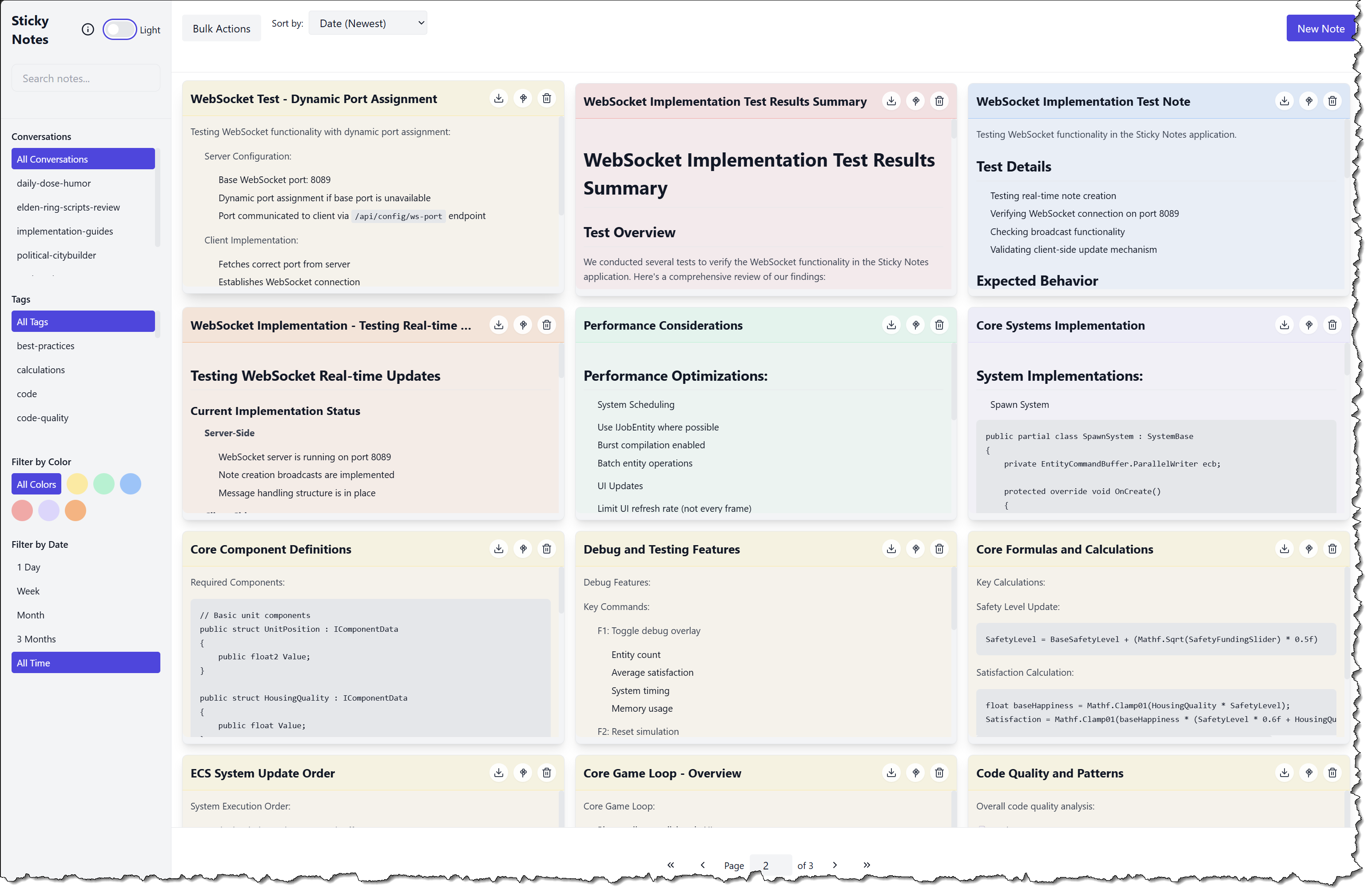
The Sticky Notes MCP Server provides a comprehensive note-taking solution with both MCP protocol interface and full REST API. It supports creating, updating, deleting, and searching notes with features like tags, sections, color coding, and markdown rendering. The server includes a React-based UI with real-time synchronization via WebSocket, SQLite for persistence, and advanced filtering capabilities.
Try asking AI
After installing, here are 5 things you can ask your AI assistant:
When to choose this
Choose this server when you need a sticky notes solution that integrates with MCP and offers both a web UI and programmatic access through REST API.
When NOT to choose this
Avoid if you need cloud-based sync across devices or require advanced collaboration features beyond basic real-time synchronization.
Tools this server exposes
5 tools extracted from the READMEcreate-noteCreates a new note with optional tags
update-noteUpdates an existing note's content
delete-noteDeletes a specific note
search-notesSearches for notes based on various criteria
list-conversationsReturns a list of all conversation IDs in the system with metadata
Comparable tools
Installation
# Clone the repository
git clone https://your.repo.url/sticky-notes-server.git
cd sticky-notes-server

# Install dependencies
npm install

# Build the project
npm run build

# Run the server
npm start
Integration with Claude Desktop: Add to your claude_desktop_config.json:
{
  "mcpServers": {
    "stickyNotes": {
      "command": "node",
      "args": ["path/to/sticky-notes-server/build/index.js"],
      "env": {
        "DB_ROOT": "desired/db/location",
        "WEB_UI_PORT": "3000",
        "WS_PORT": "8080"
      }
    }
  }
}
FAQ
- Does this server support real-time synchronization?
- Yes, it includes WebSocket support with robust reconnection strategies for real-time note synchronization across multiple clients.
- Can I use this server without the web UI?
- Yes, the server provides a full REST API and MCP interface that can be used independently of the React-based web UI.
Compare sticky-notes-server with
Last updated · Auto-generated from public README + GitHub signals.