mcp-summarization-functions
by Braffolk·★ 37·Score 41
MCP server providing intelligent text summarization for AI agents to optimize context usage.
Overview
Summarization Functions is a powerful MCP server that helps AI agents manage context windows by providing concise summaries of potentially large outputs. It supports summarizing command outputs, file contents, directory structures, and arbitrary text, with options for focused analysis and multiple output formats. The server supports multiple AI providers including Anthropic, OpenAI, Google, and OpenAI-compatible APIs, making it highly versatile for different AI workflows and environments.
Try asking AI
After installing, here are 6 things you can ask your AI assistant:
When to choose this
Choose this server when working with AI agents that process large outputs, file contents, or directory structures to prevent context window overflow and improve reliability.
When NOT to choose this
Avoid if you need access to raw file content without summarization, or if you're concerned about API costs from additional model calls for summarization.
Tools this server exposes
5 tools extracted from the READMEsummarize_commandcommand: string, cwd: string, hint?: string, output_format?: stringExecute and summarize command output
summarize_filespaths: string[], cwd: string, hint?: string, output_format?: stringSummarize contents of multiple files
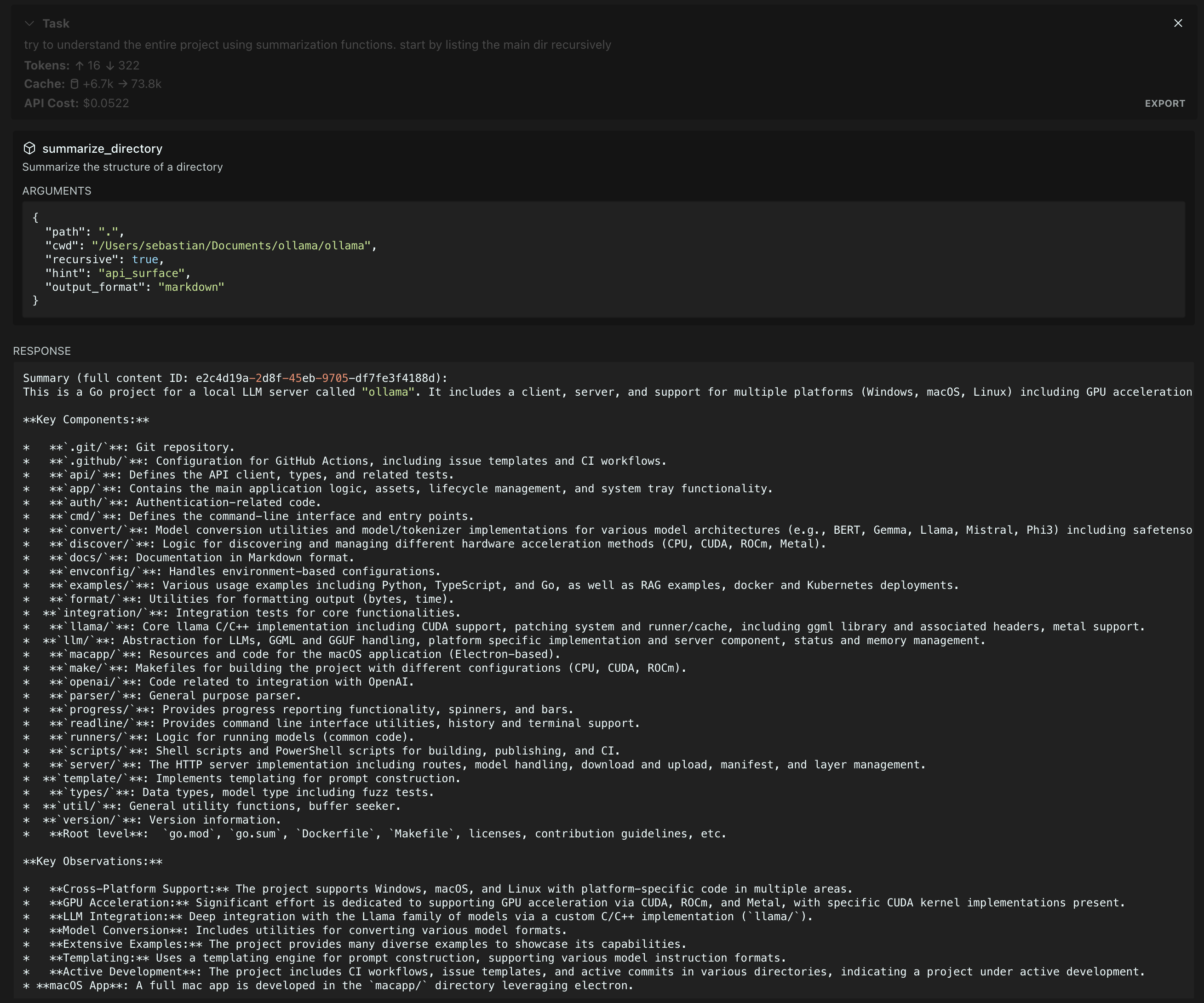
summarize_directorypath: string, cwd: string, recursive?: boolean, hint?: string, output_format?: stringGet an overview of directory structure and contents
summarize_textcontent: string, type: string, hint?: string, output_format?: stringSummarize arbitrary text content
get_full_contentid: stringRetrieve the full content for a given summary ID
Comparable tools
Installation
Installing via Smithery
For Claude Desktop:
npx -y @smithery/cli install mcp-summarization-functions --client claudeManual Installation
- Install the package:
npm i mcp-summarization-functions- Add to your MCP configuration:
{
  "mcpServers": {
    "MUST_USE_summarization": {
      "command": "node",
      "args": ["path/to/summarization-functions/build/index.js"],
      "env": {
        "PROVIDER": "ANTHROPIC",
        "API_KEY": "your-api-key",
        "MODEL_ID": "claude-3-5-sonnet-20241022",
        "MCP_WORKING_DIR": "default_working_directory"
      }
    }
  }
}
FAQ
- Which AI providers are supported?
- The server supports Anthropic (Claude), OpenAI (GPT), Google (Gemini), and OpenAI-compatible APIs (including Azure).
- How do I set up environment variables?
- Required variables are PROVIDER and API_KEY. Optional variables include MODEL_ID, PROVIDER_BASE_URL, MAX_TOKENS, and others. See the Configuration section for examples.
- What output formats are available?
- You can choose from text (default), JSON, markdown, and outline formats depending on your specific needs.
Compare mcp-summarization-functions with
Last updated · Auto-generated from public README + GitHub signals.