LitterBox
by BlackSnufkin·★ 1,422·Score 53
Red team payload sandbox with EDR integration and MCP tools for automated analysis.
Overview
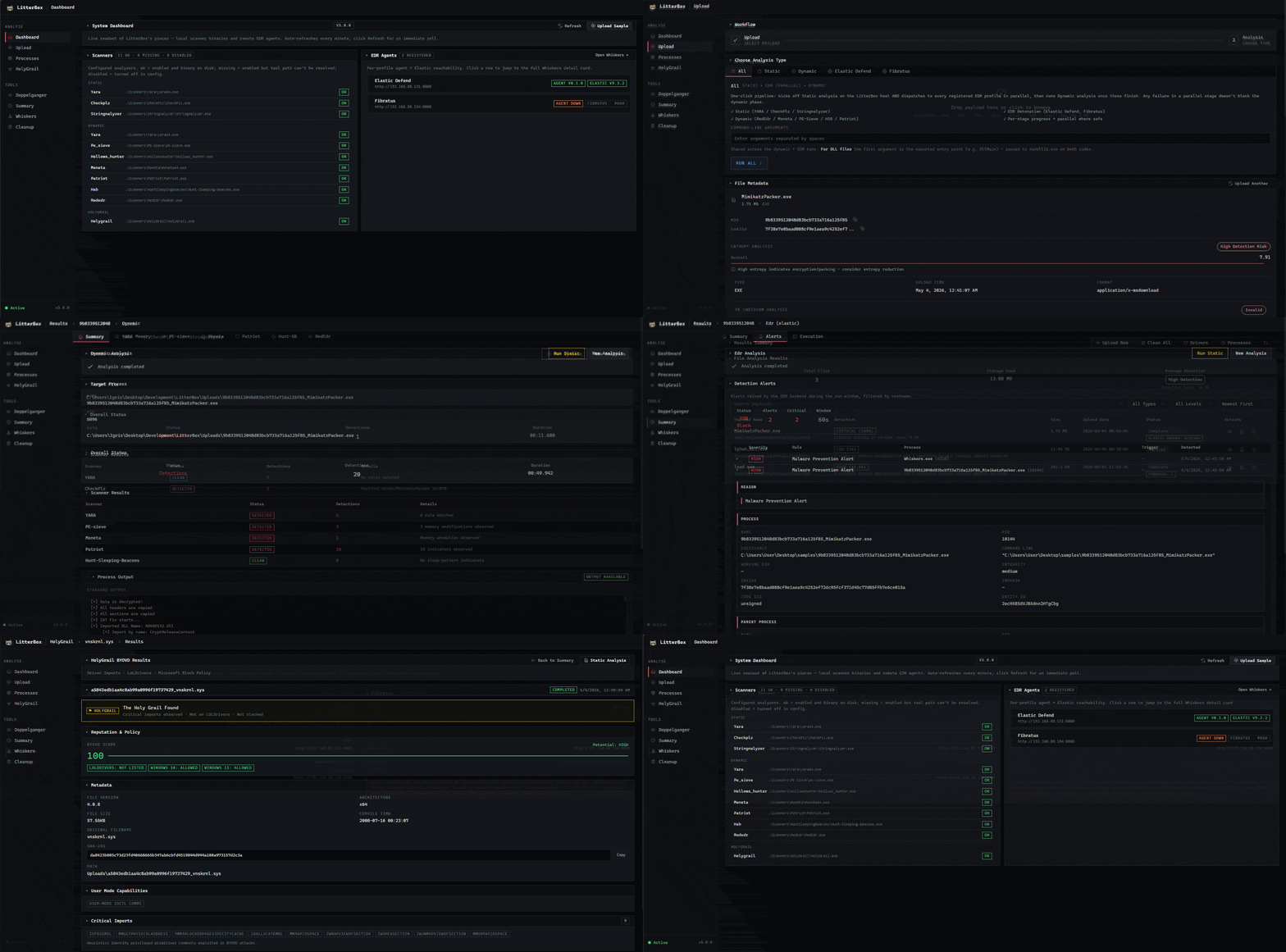
LitterBox is a self-hosted payload-analysis sandbox designed for red teams to test malicious samples against modern detection systems before deployment. It integrates with multiple EDR solutions like Elastic Defend and Fibratus, providing both static and dynamic analysis capabilities. The MCP integration enables AI agents to drive the analysis process end-to-end, from sample submission to evaluation of detection scores and triggering indicators.
Try asking AI
After installing, here are 5 things you can ask your AI assistant:
When to choose this
Choose LitterBox when you need a comprehensive malware analysis platform with MCP integration for automated security testing, particularly for teams that already use multiple scanners and want a unified score for payload evaluation.
When NOT to choose this
Don't choose LitterBox if you need a cloud-based service, require extensive customization of analysis workflows beyond scanner integration, or need to analyze non-malware samples.
Tools this server exposes
12 tools extracted from the READMEupload_payloadUpload a payload file for analysis in the LitterBox sandbox
run_analysisRun static/dynamic/EDR analysis on an uploaded payload
get_detection_scoreRetrieve the detection score for an analyzed payload
get_detection_breakdownGet detailed breakdown of which indicators triggered detection
dispatch_to_edrSend payload to EDR-instrumented VM for real-world testing
list_scannersList all available scanners and their versions
update_scannerUpdate a specific scanner to the latest version
get_configRetrieve current LitterBox configuration
get_resultsRetrieve full results from a completed analysis
add_yara_ruleAdd a custom YARA rule to the analysis pipeline
list_filesList files in the sandbox environment
create_profileCreate a new EDR profile for testing environments
Note: Tool names inferred from documentation and functionality description. MCP documentation referenced in wiki but not explicitly listed in README.
Comparable tools
Installation
Installation
**Windows:**
git clone https://github.com/BlackSnufkin/LitterBox.git
cd LitterBox
python -m venv venv
.\venv\Scripts\Activate.ps1
pip install -r requirements.txt
python litterbox.py
**Linux (Docker):**
git clone https://github.com/BlackSnufkin/LitterBox.git
cd LitterBox/Docker
chmod +x setup.sh
./setup.sh
**MCP Configuration:** Add to Claude Desktop configuration:
{
  "mcpServers": {
    "litterbox": {
      "command": "python",
      "args": ["/path/to/LitterBox/litterbox.py"],
      "env": {}
    }
  }
}
FAQ
- What EDR solutions does LitterBox integrate with?
- LitterBox supports integration with Elastic Defend and Fibratus, and can dispatch payloads to instrumented Windows VMs for dynamic analysis.
- How is the detection score calculated?
- The detection score is based on a combination of static analysis results, dynamic behavior observation, and EDR alert correlation. The exact methodology is documented in the Detection Score Explained wiki page.
Compare LitterBox with
Last updated · Auto-generated from public README + GitHub signals.