mcp-server
by bitDive·★ 86·Score 47
MCP server providing trace analysis, request reproduction, and regression management for AI agents.
Overview
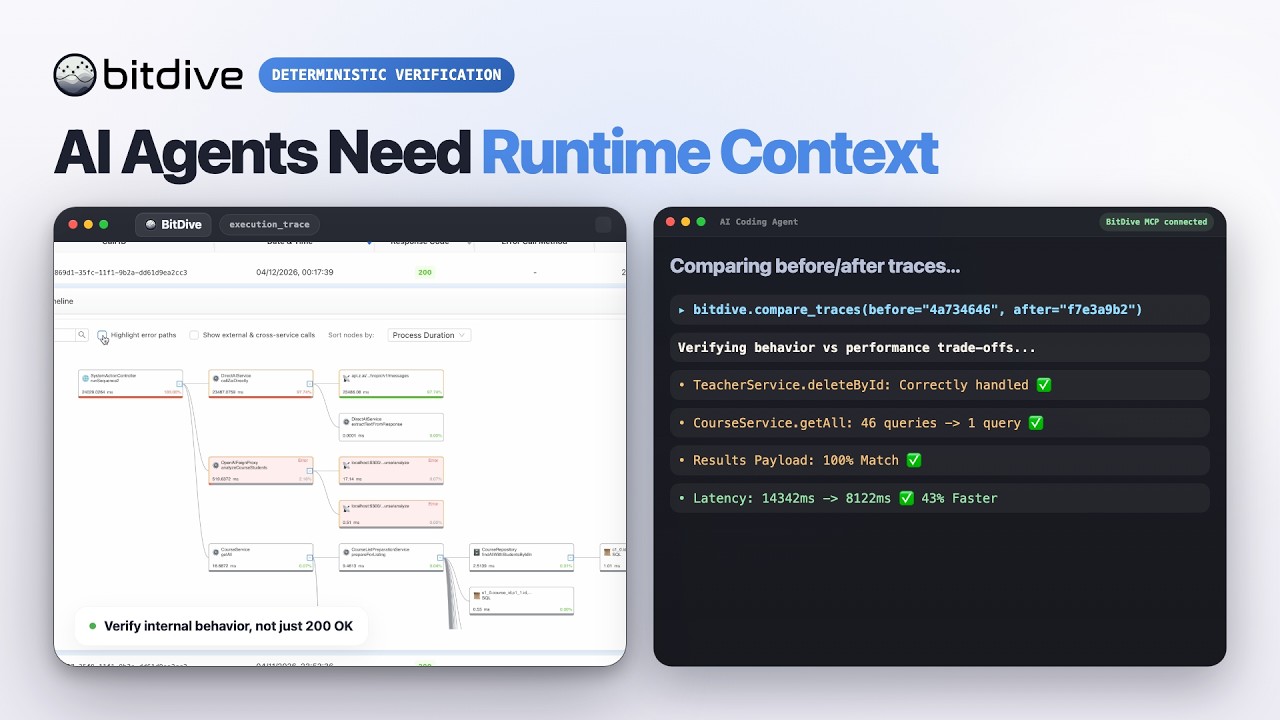
The BitDive MCP server exposes monitoring and QA operations to MCP clients like Cursor and Claude Desktop. It implements 23 tools for discovering active modules, fetching traces, reproducing requests, comparing traces before/after code changes, and managing test groups. The server adds important value beyond API proxying including trace readability formatting, comparison logic with normalized Java structures, and reproduction workflow helpers that generate curl/PowerShell commands.
Try asking AI
After installing, here are 5 things you can ask your AI assistant:
When to choose this
Choose this server if you're working with Java applications and need AI agents to analyze runtime traces, reproduce issues, and compare behavior changes without leaving your development environment.
When NOT to choose this
Avoid this server if you're not using BitDive for monitoring or if you need support for non-Java applications, as it's tightly integrated with the BitDive ecosystem.
Tools this server exposes
12 tools extracted from the READMEget_heatmap_all_systemGet a compact heatmap summary for the entire system
get_heatmap_for_moduleGet a heatmap summary for a specific module
get_heatmap_for_serviceGet a heatmap summary for a specific service
get_last_callsGet the most recent system calls
find_trace_allFind traces across the entire system
find_trace_for_methodFind traces for a specific method
get_trace_names_batchGet trace names in batches
get_reproduction_commandGet reproduction commands for captured requests
search_methods_shortSearch for methods with short information
compare_tracesCompare two traces to detect differences
create_test_groupCreate a new test group in BitDive
get_all_test_scriptsGet all test scripts from BitDive
Comparable tools
Installation
Install dependencies:
pip install -r requirements.txtRun in stdio mode:
python server.pyOr in streamable-http mode:
MCP_TRANSPORT=streamable-http MCP_HOST=0.0.0.0 MCP_PORT=8000 python server.pyConfigure Claude Desktop:
{
  "mcpServers": {
    "bitdive": {
      "command": "python",
      "args": [
        "/absolute/path/to/server.py"
      ],
      "env": {
        "BITDIVE_MCP_TOKEN": "your-token"
      }
    }
  }
}
FAQ
- What does this server provide beyond the BitDive API?
- It adds trace readability formatting, comparison logic with normalized Java structures, reproduction workflow helpers, and test management formatted for quick agent use instead of raw responses.
- How do I configure authentication?
- Set either the BITDIVE_MCP_TOKEN environment variable or pass mcp_token parameter directly to tools. The server requires a valid BitDive MCP token to function.
Compare mcp-server with
Last updated · Auto-generated from public README + GitHub signals.