BifrostMCP
by biegehydra·★ 212·Score 49
VSCode extension exposing language server features to AI tools via MCP protocol.
Overview
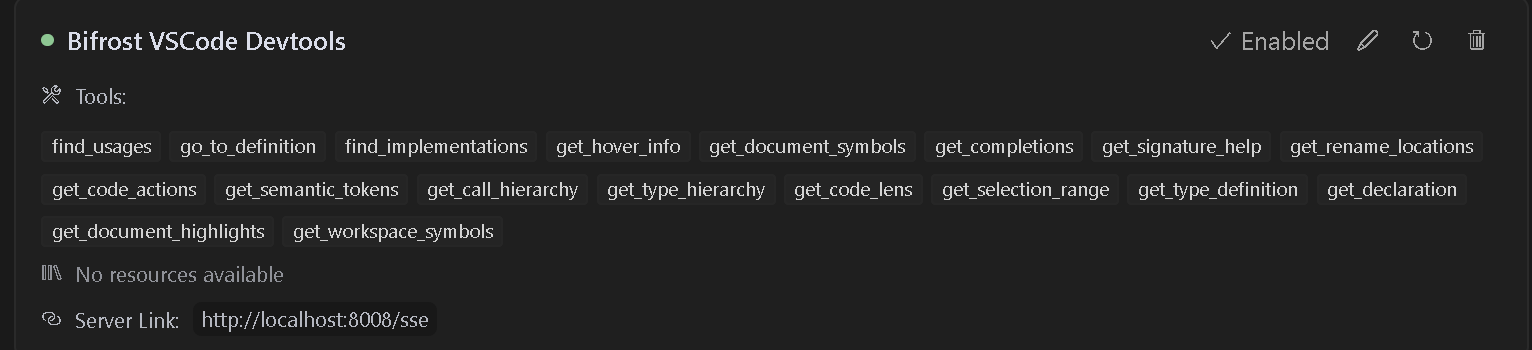
Bifrost is a VSCode extension that provides MCP server functionality, enabling AI assistants to access VSCode's powerful development tools and language features. It supports advanced code navigation, analysis, and manipulation through various tools including find usages, go to definition, rename, and code actions. The extension runs on port 8008 by default and supports multiple projects with dedicated endpoints.
Try asking AI
After installing, here are 5 things you can ask your AI assistant:
When to choose this
Choose Bifrost when you need AI assistants to have deep code understanding and navigation capabilities within your VS Code environment.
When NOT to choose this
Avoid Bifrost if you need to work with languages that don't have VS Code language server support, or if you prefer a standalone IDE-agnostic solution.
Tools this server exposes
12 tools extracted from the READMEfind_usagesLocate all symbol references in the code.
go_to_definitionJump to symbol definitions instantly.
find_implementationsDiscover implementations of interfaces/abstract methods.
get_hover_infoGet rich symbol documentation on hover.
get_document_symbolsOutline all symbols in a file.
get_completionsProvide context-aware auto-completions.
get_rename_locationsFind all locations to perform a rename safely.
renamePerform rename on a symbol across the project.
get_code_actionsGet quick fixes, refactors, and improvements.
get_workspace_symbolsSearch symbols across your entire workspace.
get_call_hierarchySee incoming/outgoing call relationships.
get_type_definitionJump to underlying type definitions.
Comparable tools
Installation
Installation
- Install [the extension](https://marketplace.visualstudio.com/items?itemName=ConnorHallman.bifrost-mcp) from the VS Code marketplace
- Install any language-specific extensions you need for your development
- Open your project in VS Code
Configuration
The extension will automatically start an MCP server when activated. Configure your MCP-compatible AI assistant to connect to:
- SSE endpoint:
http://localhost:8008/sse - Message endpoint:
http://localhost:8008/message
Claude Desktop Configuration
Add to claude_desktop_config.json:
{
  "mcpServers": {
    "Bifrost": {
      "url": "http://localhost:8008/sse"
    }
  }
}
FAQ
- How do I configure multiple projects?
- Create a `bifrost.config.json` file in each project root with a unique port number. Update your AI assistant configuration to use project-specific endpoints.
- Which AI assistants are compatible with Bifrost?
- Bifrost works with any AI assistant that supports the MCP protocol, including Cursor, Cline (with Supergateway), and others that can connect to SSE endpoints.
Compare BifrostMCP with
Last updated · Auto-generated from public README + GitHub signals.