beever-atlas
by Beever-AI·★ 328·Score 50
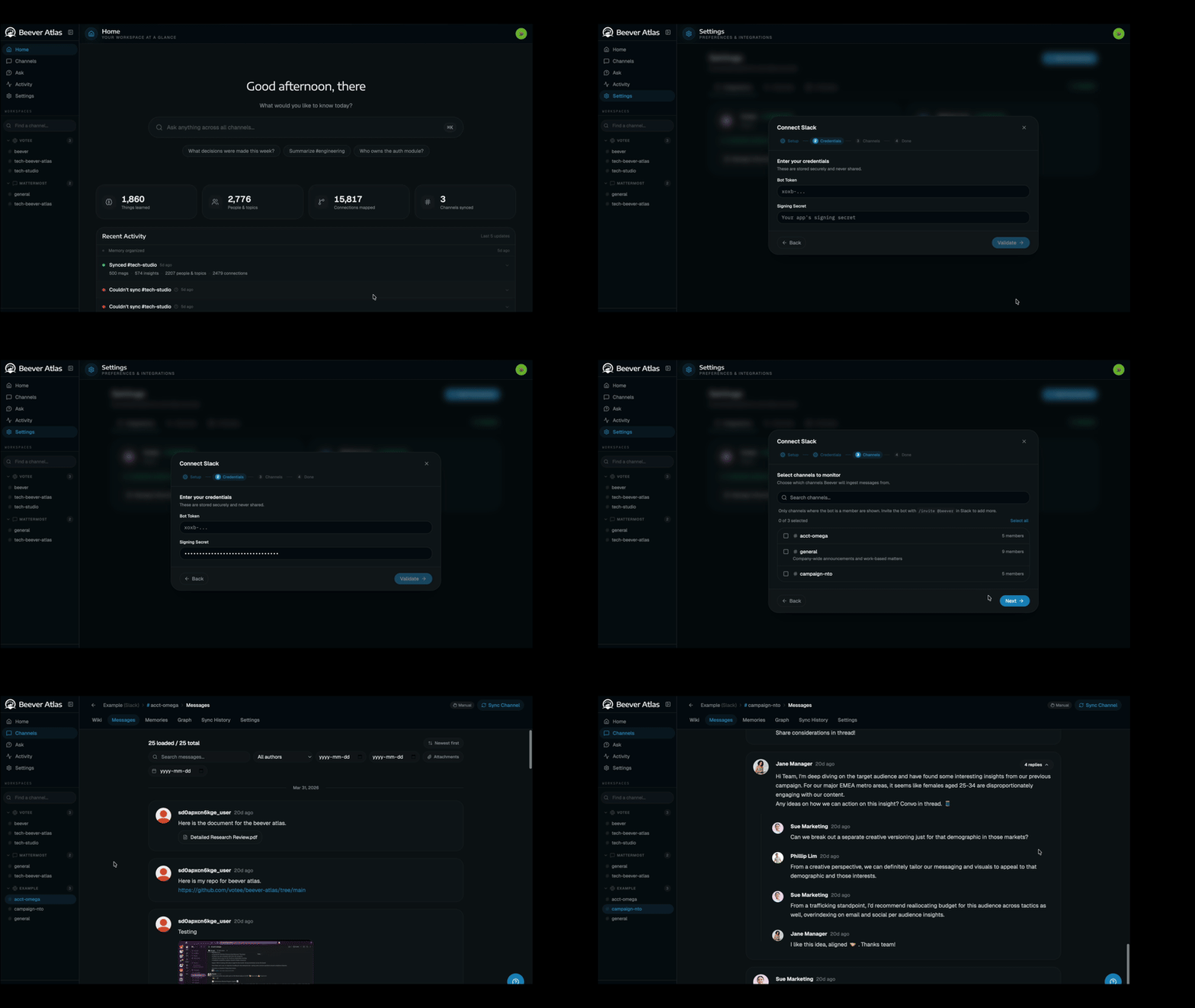
Beever Atlas is an MCP server that transforms team chats into a self-maintaining wiki with integrated search and QA capabilities.
Overview
Beever Atlas extracts atomic facts from Slack, Discord, Teams, and Mattermost conversations, deduplicates and clusters them into topic pages with citations. It features a 3-tier semantic store and graph memory system that fuels both an auto-generated LLM wiki and a QA agent accessible through the dashboard or MCP integration. The system supports 16 MCP tools for querying knowledge bases with per-agent authentication capabilities.
Try asking AI
After installing, here are 5 things you can ask your AI assistant:
When to choose this
Choose Beever Atlas if your team already uses Slack/Discord/Teams and wants to automatically transform conversations into a structured knowledge base accessible via MCP for AI agents.
When NOT to choose this
Avoid Beever Atlas if you need full control over data storage (it uses Weaviate, Neo4j, MongoDB, Redis), require a self-hosted solution without cloud dependencies, or need to process documents outside of team chat platforms.
Tools this server exposes
12 tools extracted from the READMEask_knowledge_baseAsk questions about the knowledge base and get cited answers.
get_channel_wikiRetrieve the auto-generated wiki for a specific channel.
search_messagesSearch for specific messages or conversations across all connected platforms.
get_entity_graphRetrieve the entity graph showing relationships between people, projects, and decisions.
list_topicsList all identified topics in a channel's knowledge base.
get_topic_detailsGet detailed information about a specific topic including citations.
get_citationsRetrieve source citations for a specific fact or answer.
get_people_mentionsFind all mentions of specific people across conversations.
get_project_timelineRetrieve the timeline of events and decisions for a specific project.
get_channel_overviewGet a high-level overview of a channel's activity and key topics.
get_faqRetrieve frequently asked questions and answers for a channel.
get_glossaryAccess the glossary of terms and their definitions from a channel.
Note: Inferred from the MCP server feature description and architecture diagram, which mentions '16 tools' but doesn't list them explicitly. Tool names and descriptions are based on the functionality described in the README about the knowledge ba
Comparable tools
Installation
Installation
- Clone the repository:
git clone https://github.com/beever-ai/beever-atlas.git
cd beever-atlas- Try the demo (optional):
make demo- Get API keys:
GOOGLE_API_KEYfor Gemini extraction and answersJINA_API_KEYfor embeddings (Jina v4)
- Install with one line:
./atlasThis will walk you through setup including embedding model, LLM provider, graph backend, and MCP server configuration.
Claude Desktop Integration
Add to Claude Desktop config:
{
  "mcpServers": {
    "beever-atlas": {
      "command": "npx",
      "args": ["beever-atlas-mcp"]
    }
  }
}
FAQ
- What platforms does Beever Atlas support?
- Beever Atlas supports Slack, Discord, Microsoft Teams, and Mattermost conversations. It can also import from files.
- How many MCP tools does Beever Atlas provide?
- Beever Atlas provides 16 MCP tools for querying the knowledge base with per-agent authentication capabilities.
Compare beever-atlas with
Last updated · Auto-generated from public README + GitHub signals.