remote-mcp-functions-python
by Azure-Samples·★ 121·Score 49
Azure Functions template for deploying MCP servers to the cloud with Python authentication options.
Overview
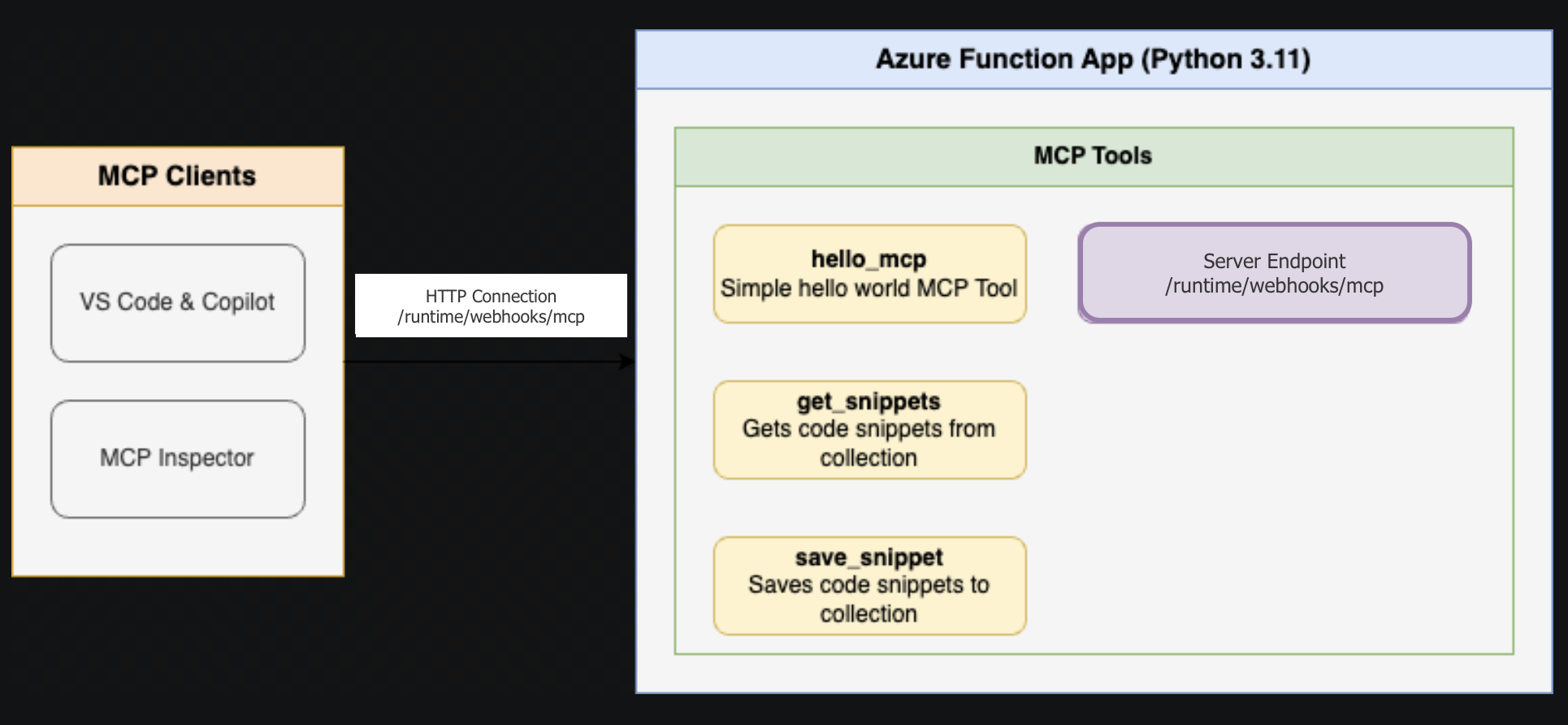
This repository provides a comprehensive template for creating remote MCP servers using Azure Functions with Python. It includes two sample applications demonstrating different patterns: FunctionsMcpTool showcasing various tool patterns, and McpWeatherApp displaying weather information with a visual UI. The template supports local development with debugging capabilities and seamless deployment to Azure using the Azure Developer CLI. It features built-in authentication using Microsoft Entra and optional API Management for enhanced security.
Try asking AI
After installing, here are 5 things you can ask your AI assistant:
When to choose this
Choose this template if you're already using Azure services and want to deploy MCP servers in the cloud with enterprise authentication and scalability.
When NOT to choose this
Avoid this if you prefer self-hosted solutions, need offline capabilities, or are concerned about vendor lock-in to Azure services.
Tools this server exposes
1 tool extracted from the READMEhello_worldReturns a hello world message
Note: The README mentions sample tools in FunctionsMcpTool but doesn't provide specific tool names or descriptions. The 'hello_world' tool is inferred from the sample app description.
Comparable tools
Installation
Installation
- Clone this repository:
git clone https://github.com/Azure-Samples/remote-mcp-functions-python - Install prerequisites: Python 3.13+, Azure Functions Core Tools >= 4.8.0, Azure Developer CLI
- Choose a sample app to run (FunctionsMcpTool or McpWeatherApp)
- Follow the app-specific README in the
src/directory - Run locally with
func startor deploy to Azure withazd up
Claude Desktop Configuration
{
  "mcpServers": {
    "remote-mcp-function": {
      "command": "python",
      "args": ["-m", "azure.functions.worker"],
      "env": {
        "AzureWebJobsStorage": "",
        "FUNCTIONS_WORKER_RUNTIME": "python"
      }
    }
  }
}
FAQ
- Can I use this template for production applications?
- Yes, this is a production-ready template with proper authentication, security options, and scalability through Azure Functions.
- What authentication options are available?
- The template supports Microsoft Entra (formerly Azure AD) for built-in authentication, with optional API Management for additional security controls.
Compare remote-mcp-functions-python with
Last updated · Auto-generated from public README + GitHub signals.