mcp-kubernetes
by Azure·★ 57·Score 46
An MCP server enabling AI assistants to interact with Kubernetes clusters through kubectl commands.
Overview
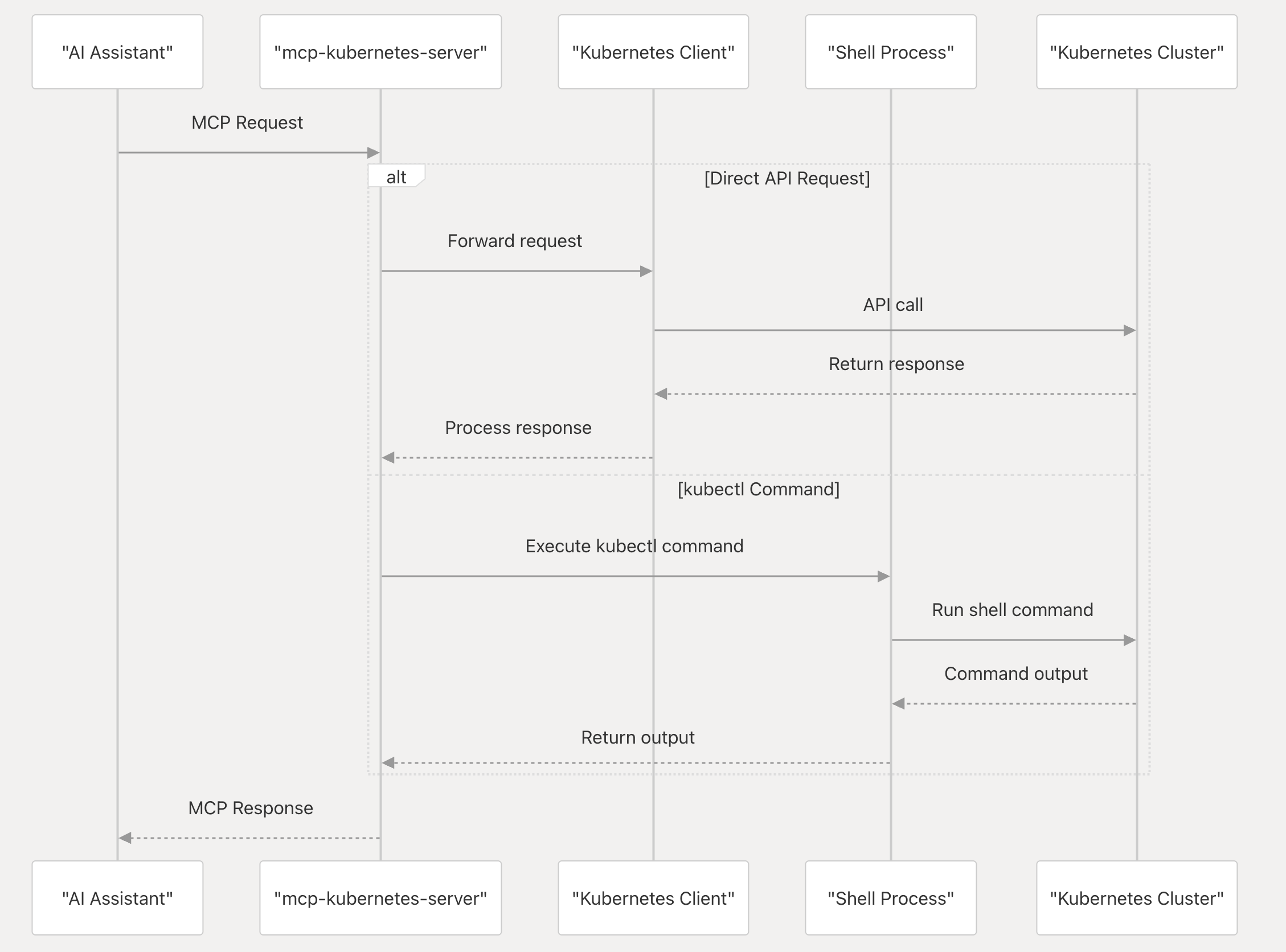
mcp-kubernetes is a comprehensive Model Context Protocol server developed by Azure that bridges AI assistants with Kubernetes environments. It provides secure access levels (readonly, readwrite, admin) and supports both a unified kubectl tool and specialized tools for different Kubernetes operations. The server allows AI tools to query resources, execute commands, manage clusters, and diagnose Kubernetes states through natural language interactions, making it particularly valuable for DevOps teams using AI assistants.
Try asking AI
After installing, here are 5 things you can ask your AI assistant:
When to choose this
Choose this for AI assistants that need to interact with Kubernetes clusters, especially when you want granular control over access levels and a unified tool interface to minimize context usage.
When NOT to choose this
Don't use this if you need to integrate with other cloud providers beyond Kubernetes, or if your AI tools require direct API access to Kubernetes rather than kubectl command translation.
Tools this server exposes
10 tools extracted from the READMEcall_kubectlExecute kubectl commands to interact with Kubernetes clusters
kubectl_resourcesManage Kubernetes resources (CRUD operations and node management)
kubectl_workloadsManage workload deployments including scaling and rollouts
kubectl_metadataUpdate labels, annotations, and other metadata on resources
kubectl_diagnosticsDebug and monitor Kubernetes resources
kubectl_clusterView cluster information and API discovery
kubectl_configConfiguration and security operations including kubectl context management
call_helmRun Helm commands for managing Kubernetes applications
call_ciliumRun Cilium commands for network policies and observability
call_hubbleRun Hubble commands for network monitoring and debugging
Comparable tools
Installation
Installation Options
Docker
{
  "mcpServers": {
    "kubernetes": {
      "command": "docker",
      "args": [
        "run",
        "-i",
        "--rm",
        "--mount",
        "type=bind,src=/home/username/.kube/config,dst=/home/mcp/.kube/config",
        "ghcr.io/azure/mcp-kubernetes"
      ]
    }
  }
}
Local Installation
- Install kubectl: https://kubernetes.io/docs/tasks/tools/
- Install helm: https://helm.sh/docs/intro/install/
- Configure your MCP server:
{
  "mcpServers": {
    "kubernetes": {
      "command": "<path of binary 'mcp-kubernetes'>",
      "args": ["--transport", "stdio"],
      "env": {
        "KUBECONFIG": "<your-kubeconfig-path>"
      }
    }
  }
}
FAQ
- What access levels does mcp-kubernetes support?
- The server supports three access levels: 'readonly' (default) for read-only operations, 'readwrite' for read and write operations, and 'admin' for all operations including admin commands like cordon, drain, and taint.
- How can I switch between unified and legacy tools?
- By default, mcp-kubernetes uses a unified 'call_kubectl' tool. To use legacy mode with multiple specialized tools, set the environment variable USE_LEGACY_TOOLS to 'true'.
Compare mcp-kubernetes with
Last updated · Auto-generated from public README + GitHub signals.