microsoft_fabric_mcp
by Augustab·★ 25·Score 41
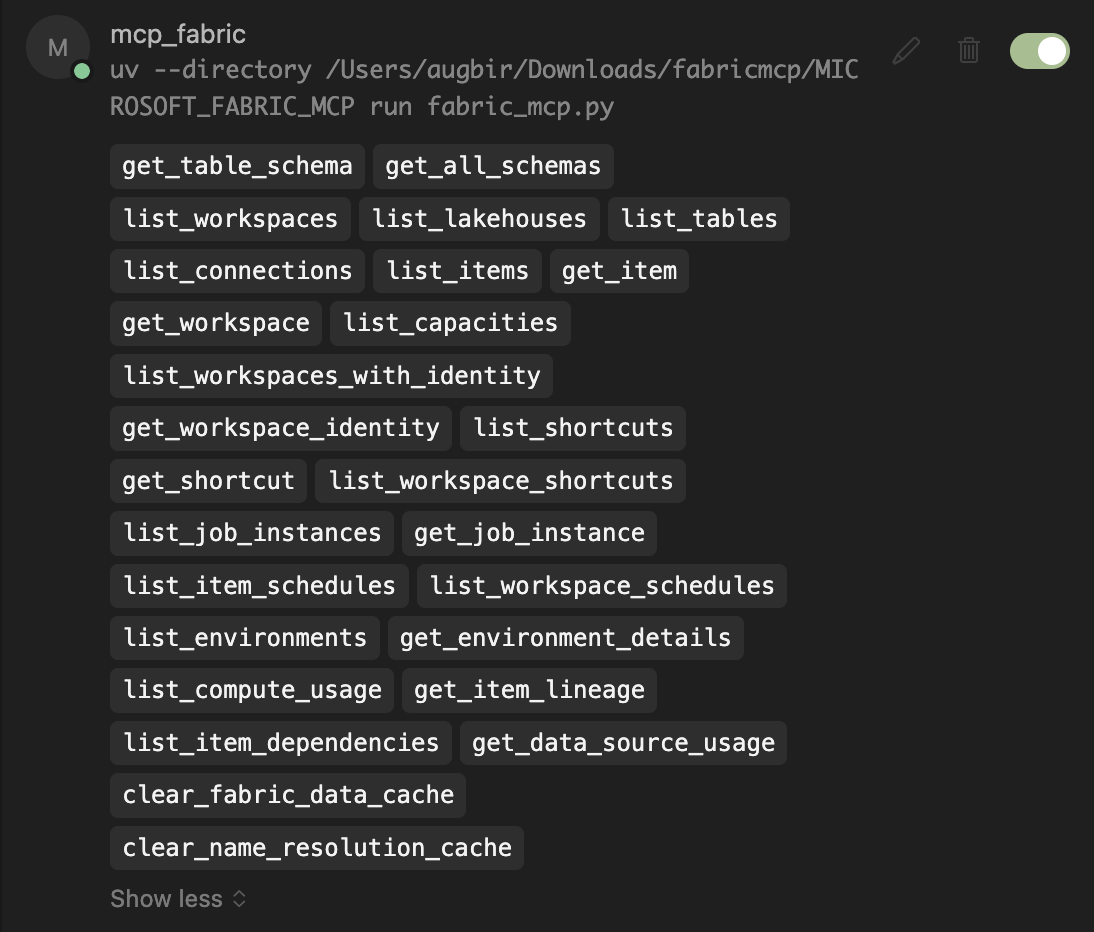
MCP server providing read-only access to Microsoft Fabric resources via its REST API with 25 tools.
Overview
Microsoft Fabric MCP is a comprehensive Model Context Protocol server that connects AI assistants to Microsoft Fabric's data platform ecosystem. It provides 25 specialized tools for querying workspaces, examining table schemas, monitoring jobs, and analyzing dependencies without risking data modification. The server uses smart caching for performance and works seamlessly with Cursor, Claude, and other MCP-compatible AI tools. The implementation focuses on read-only operations using GET requests only, ensuring data safety while providing rich insights into Fabric resources. It includes detailed support for workspace management, data schema exploration, job monitoring, and operational intelligence features like lineage analysis and dependency mapping.
Try asking AI
After installing, here are 6 things you can ask your AI assistant:
When to choose this
Choose this if you're working with Microsoft Fabric and need AI assistants to have read-only access to workspace structures, table schemas, and job information without data modification capabilities.
When NOT to choose this
Avoid this if you need write access to Microsoft Fabric resources or are not already using Microsoft Fabric in your workflow.
Tools this server exposes
12 tools extracted from the READMElist_workspacesList all accessible Fabric workspaces
get_workspaceGet detailed workspace info including workspace identity status
list_itemsList all items in workspace with optional type filtering
get_table_schemaGet detailed schema for specific table
list_job_instancesList job instances with status/item filtering for monitoring
get_item_lineageAnalyze data flow dependencies upstream/downstream
list_lakehousesList all lakehouses in specified workspace
list_tablesList all tables in lakehouse with format/type info
get_job_instanceGet detailed job info including errors and timing
list_compute_usageMonitor active jobs and estimate resource consumption
get_environment_detailsGet detailed environment config including Spark settings and libraries
list_connectionsList all connections user has access to across entire tenant
Comparable tools
Installation
Installation
- Install UV and Azure CLI:
# macOS/Linux
curl -LsSf https://astral.sh/uv/install.sh | sh

# Windows
powershell -ExecutionPolicy ByPass -c "irm https://astral.sh/uv/install.ps1 | iex"- Set up Azure CLI authentication:
az login
az account set --subscription "Your-Subscription-ID"- Configure MCP in your settings:
**Cursor MCP settings:**
"mcp_fabric": {
  "command": "uvx",
  "args": ["microsoft-fabric-mcp"]
}
**Claude Desktop config.json:**
"mcpServers": {
  "fabric": {
    "command": "uvx",
    "args": ["microsoft-fabric-mcp"]
  }
}
FAQ
- Is this server safe to use with production data?
- Yes, the server only uses GET requests for read-only operations, ensuring no data modification can occur.
- What authentication method does this server use?
- It uses Azure CLI authentication through DefaultAzureCredential, requiring proper Azure login before use.
- Can I use this server with MCP tools other than Cursor?
- Yes, it's designed to work with any MCP-compatible AI tools including Claude and other implementations.
Compare microsoft_fabric_mcp with
Last updated · Auto-generated from public README + GitHub signals.