bridge4simulator
by AppGram·★ 81·Score 45
MCP server controlling iOS Simulator with extensive automation tools for testing and development.
Overview
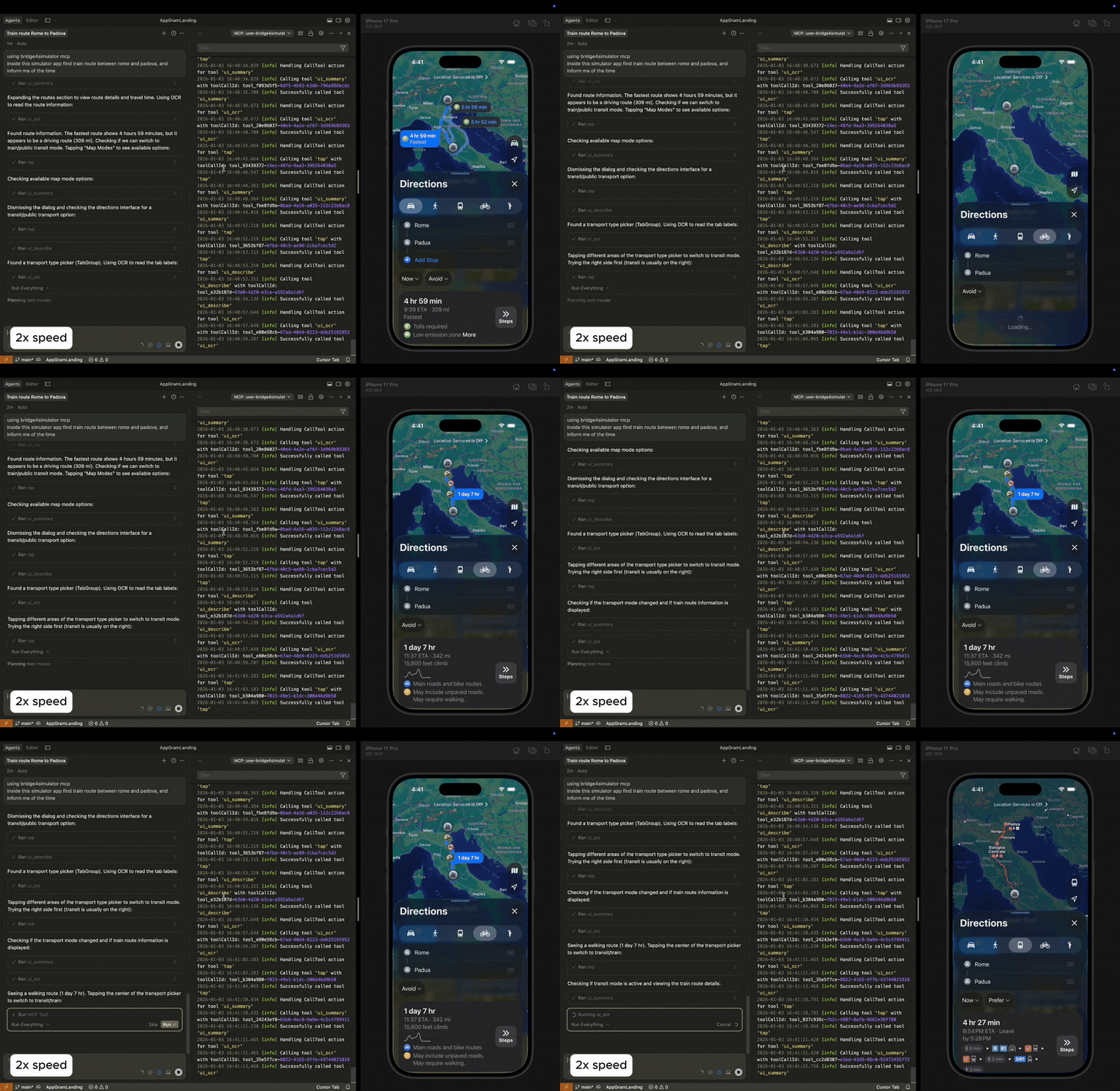
bridge4simulator is an MCP server that enables AI assistants to control iOS Simulator through 21 different tools. It provides device management, input simulation, screen capture, app control, navigation, UI analysis with OCR capabilities, and macro automation features. The server integrates seamlessly with popular AI clients like Claude Desktop, Cursor, and Claude Code, making it a powerful tool for automated iOS testing and app development workflows.
Try asking AI
After installing, here are 3 things you can ask your AI assistant:
When to choose this
Choose this server when you need AI-powered iOS app testing, automation, or UI interaction capabilities and are already working within the Apple ecosystem.
When NOT to choose this
Not ideal for non-Apple environments or if you need device testing on physical iOS devices rather than simulators.
Tools this server exposes
12 tools extracted from the READMEdevice_listList available simulator devices
device_bootBoot a simulator device
device_shutdownShutdown a simulator device
statusCheck simulator device status
tapSimulate a tap gesture on the screen
swipeSimulate a swipe gesture on the screen
type_textType text into the simulator
screenshotTake a screenshot of the simulator
app_launchLaunch an application in the simulator
app_terminateTerminate a running application
ui_describeDescribe the current UI elements on screen
ui_ocrPerform OCR on the current screen
Comparable tools
Installation
Installation
Using Homebrew
brew tap AppGram/tap
brew install bridge4simulator
Using Installer
curl -fsSL https://github.com/AppGram/bridge4simulator/releases/latest/download/install.sh | bashConfiguration
Claude Desktop
Add to Claude Desktop config:
{
  "mcpServers": {
    "bridge4simulator": {
      "command": "/usr/local/bin/bridge4simulator",
      "args": ["mcp", "--enable-tools=screenshot"]
    }
  }
}
Cursor/Claude Code
Add to settings:
{
  "mcpServers": {
    "ios-simulator": {
      "command": "/usr/local/bin/bridge4simulator",
      "args": ["mcp", "--enable-tools=screenshot"]
    }
  }
}
Compare bridge4simulator with
Last updated · Auto-generated from public README + GitHub signals.