mcp-arr
by aplaceforallmystuff·★ 137·Score 50
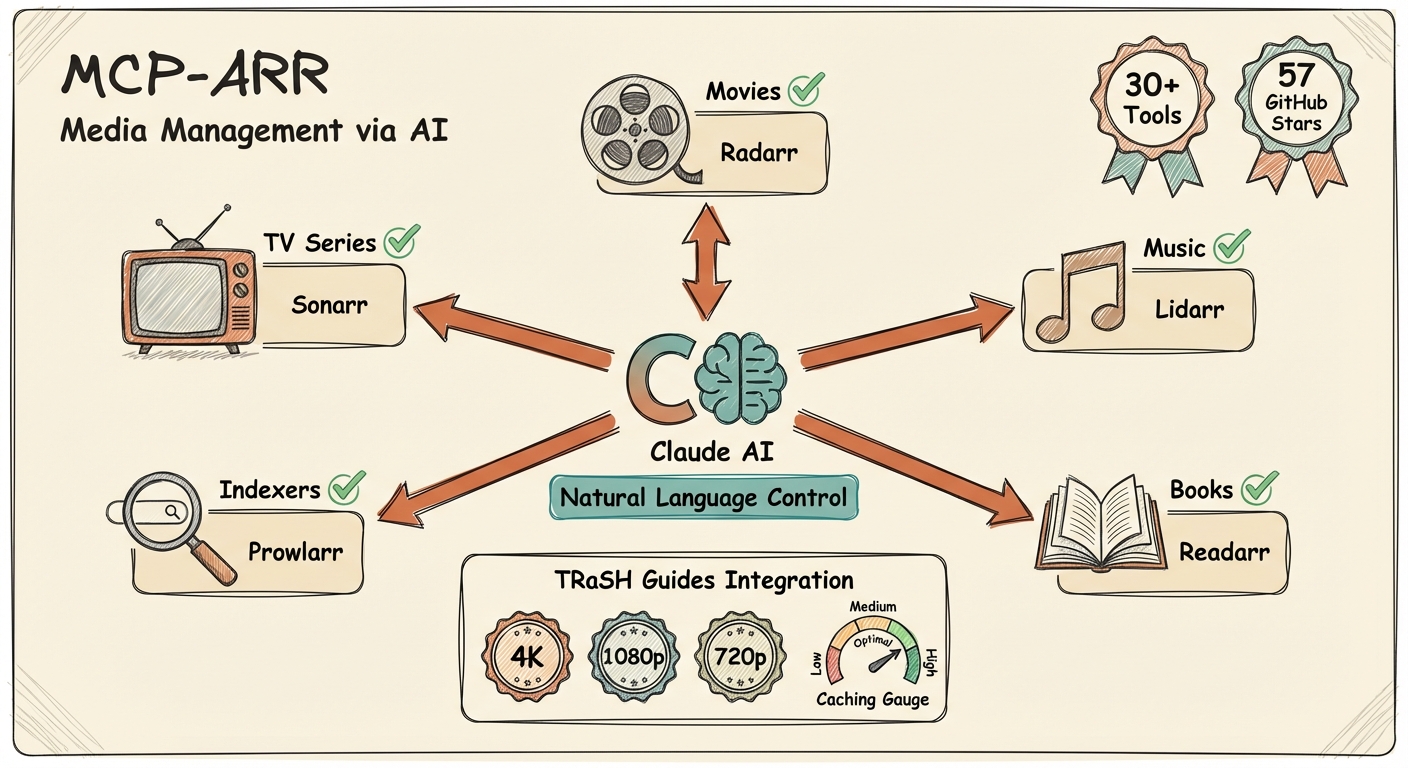
MCP server for unified management of *arr media suite including Sonarr, Radarr, Lidarr, and Prowlarr.
Overview
This MCP server provides a unified interface to manage all *arr applications from a single location. It supports both local stdio mode for Claude/Codex-style clients and remote HTTP mode for hosted MCP clients like ChatGPT. The server offers comprehensive functionality across all *arr services, including library management, search capabilities, download monitoring, calendar integration, and configuration review. It also includes tools for TRaSH Guides reference, allowing users to compare their quality profiles and naming conventions against community recommendations.
Try asking AI
After installing, here are 5 things you can ask your AI assistant:
When to choose this
Choose this MCP server if you manage multiple *arr applications and want unified control through natural language queries or a centralized interface.
When NOT to choose this
Avoid if you only use one media service and don't need cross-service functionality, as the server might be overkill for simple setups.
Tools this server exposes
12 tools extracted from the READMEarr_statusGet connection status for all configured *arr services
arr_search_allSearch across all configured services simultaneously
sonarr_get_seriesList all TV series in your Sonarr library
sonarr_searchSearch for TV series by name
sonarr_add_seriesAdd a TV series to Sonarr (supports tags)
sonarr_get_queueView current Sonarr download queue
radarr_get_moviesList all movies in your Radarr library
radarr_searchSearch for movies by name
radarr_add_movieAdd a movie to Radarr (supports tags)
lidarr_get_artistsList all artists in your Lidarr library
prowlarr_get_indexersList all configured Prowlarr indexers
sonarr_review_setupComprehensive Sonarr configuration dump for AI analysis
Comparable tools
Installation
Installation
**Using npm (Recommended)**
npx mcp-arr-server**Remote HTTP Mode**
MCP_TRANSPORT=http PORT=3000 npx mcp-arr-server**For Claude Desktop** Add to your Claude Desktop config file:
{
  "mcpServers": {
    "arr": {
      "command": "npx",
      "args": ["-y", "mcp-arr-server"],
      "env": {
        "SONARR_URL": "http://localhost:8989",
        "SONARR_API_KEY": "your-sonarr-api-key",
        "RADARR_URL": "http://localhost:7878",
        "RADARR_API_KEY": "your-radarr-api-key",
        "LIDARR_URL": "http://localhost:8686",
        "LIDARR_API_KEY": "your-lidarr-api-key",
        "PROWLARR_URL": "http://localhost:9696",
        "PROWLARR_API_KEY": "your-prowlarr-api-key"
      }
    }
  }
}
FAQ
- Which *arr applications are supported?
- The server supports all major *arr applications: Sonarr (TV series), Radarr (movies), Lidarr (music), and Prowlarr (indexer management). You can configure any combination of these services based on what you have installed.
- Can I use this with ChatGPT?
- Yes, the server supports remote HTTP mode which is compatible with ChatGPT's MCP connectors. Run the server with 'MCP_TRANSPORT=http' and connect ChatGPT to the '/mcp' endpoint. It also provides generic 'search' and 'fetch' tools expected by ChatGPT-style clients.
Compare mcp-arr with
Last updated · Auto-generated from public README + GitHub signals.