apify-mcp-server
by apify·★ 1,223·Score 55
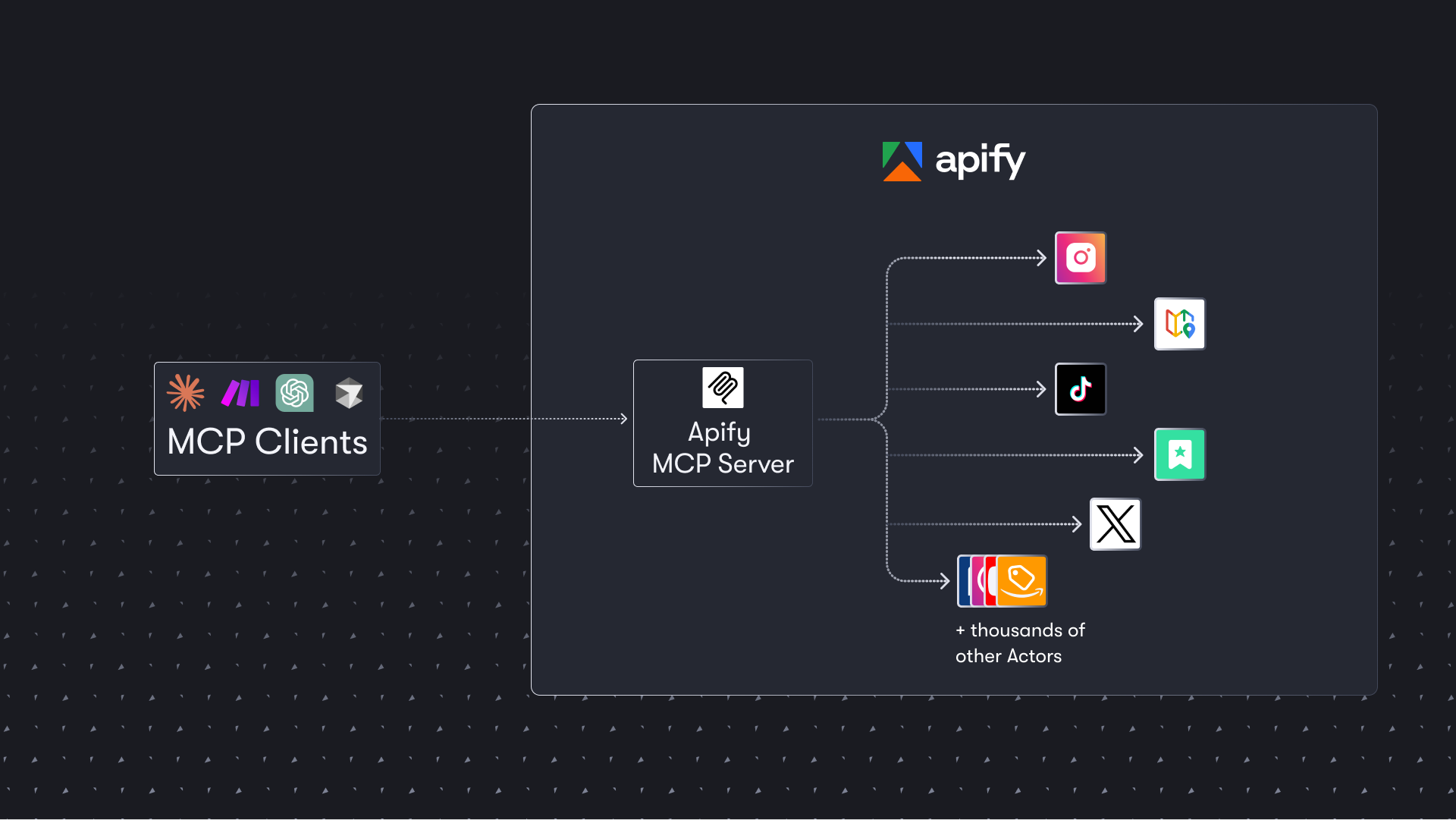
Apify MCP server enables AI agents to extract web data using thousands of pre-built scrapers and automation tools.
Overview
The Apify MCP server provides a comprehensive solution for data extraction from websites, social media platforms, search engines, and e-commerce sites. It connects AI agents to thousands of ready-made scrapers, crawlers, and automation tools available on the Apify Store. The server supports both HTTPS endpoint and stdio transport methods, with OAuth authentication for seamless integration with clients like Claude.ai and VS Code.
Try asking AI
After installing, here are 5 things you can ask your AI assistant:
When to choose this
Choose Apify MCP server when your AI agent needs to extract structured data from websites at scale and you prefer using ready-made scrapers over building custom solutions.
When NOT to choose this
Avoid if you need fine-grained control over scraping behavior, have strict data privacy requirements, or prefer to manage your own infrastructure rather than relying on a third-party service.
Tools this server exposes
12 tools extracted from the READMEcall-actorExecute an Apify Actor with specified input parameters
search-actorsSearch for available Actors in the Apify Store
fetch-actor-detailsGet detailed information about a specific Actor
get-actor-runsRetrieve a list of your Actor runs
get-run-detailsGet details about a specific Actor run
get-run-logsRetrieve logs for a specific Actor run
add-actorDynamically add a new Actor as a tool for the current session
search-apify-docsSearch the Apify documentation for specific topics
fetch-apify-docsFetch a specific documentation page from Apify
create-pay-tokenCreate a PAY token for Skyfire payments
apify/rag-web-browserPre-configured Actor for web searching and content extraction
apify/facebook-posts-scraperPre-configured Actor for extracting data from Facebook posts
Comparable tools
Installation
Installation
**HTTPS Endpoint (Recommended)**: Add to your MCP client configuration:
{
  "mcpServers": {
    "apify": {
      "url": "https://mcp.apify.com"
    }
  }
}
**Via stdio**:
npm install -g @apify/actors-mcp-server**Claude Desktop Configuration**:
{
  "mcpServers": {
    "apify": {
      "command": "npx",
      "args": ["@apify/actors-mcp-server"]
    }
  }
}
Set the APIFY_TOKEN environment variable in Claude Desktop or include it as a Bearer token in the Authorization header.
FAQ
- Does this server require an Apify account?
- Yes, you need an Apify account and API token to use most functionality, though agentic payments via x402 or Skyfire can be used without an API token.
- How many scrapers are available through this server?
- The server provides access to thousands of pre-built scrapers and automation tools available on the Apify Store, covering social media, search engines, e-commerce, and many other data sources.
Compare apify-mcp-server with
Last updated · Auto-generated from public README + GitHub signals.