perfetto-mcp
by antarikshc·★ 178·Score 50
An MCP server that transforms natural language prompts into Perfetto trace analyses for Android performance debugging.
Overview
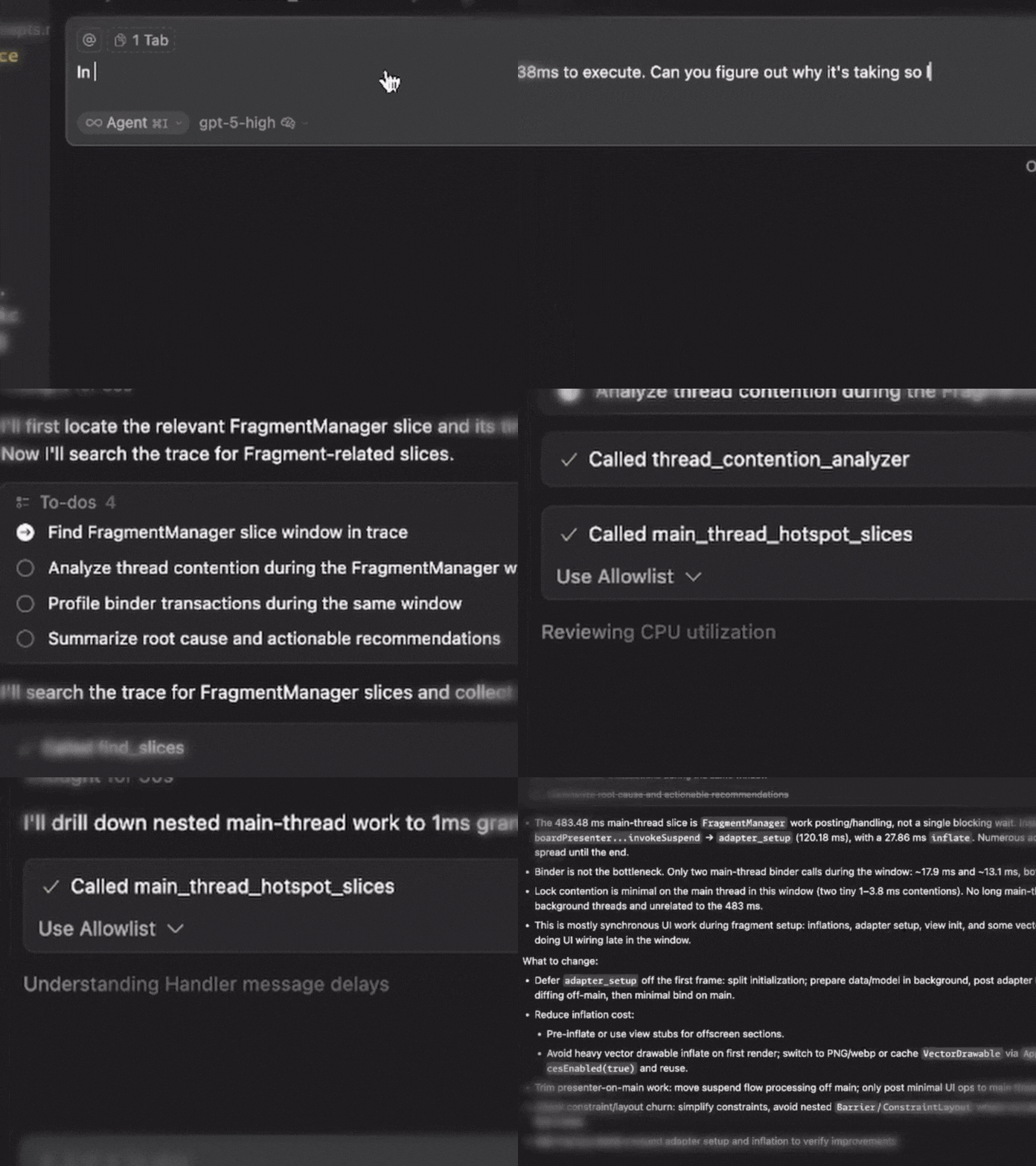
Perfetto MCP is a specialized Model Context Protocol server that enables developers to analyze Android performance traces using natural language prompts. It converts plain English questions into precise Perfetto SQL queries, allowing users to diagnose ANRs, find CPU bottlenecks, detect UI jank, analyze memory leaks, and investigate binder transactions without writing SQL. The server supports multiple MCP integrations including Cursor, Claude Code, VS Code, and Codex, with both uvx and pip installation options.
Try asking AI
After installing, here are 6 things you can ask your AI assistant:
When to choose this
Choose this server when you need to analyze Android performance traces with natural language queries and prefer not to write complex Perfetto SQL manually.
When NOT to choose this
Don't choose this if you're working with non-Android performance traces or need more general-purpose trace analysis capabilities beyond Perfetto.
Tools this server exposes
12 tools extracted from the READMEfind_slicesSurvey slice names and locate hot paths
execute_sql_queryRun custom PerfettoSQL for advanced analysis
detect_anrsFind ANR events with severity classification
anr_root_cause_analyzerDeep-dive ANR causes with ranked likelihood
cpu_utilization_profilerThread-level CPU usage and scheduling
main_thread_hotspot_slicesFind longest-running main thread operations
detect_jank_framesIdentify frames missing deadlines
frame_performance_summaryOverall frame health metrics
thread_contention_analyzerFind synchronization bottlenecks
binder_transaction_profilerAnalyze Binder IPC performance
memory_leak_detectorFind sustained memory growth patterns
heap_dominator_tree_analyzerIdentify memory-hogging classes
Comparable tools
Installation
Installation
**Using uvx (recommended)**:
For Cursor:
{
  "mcpServers": {
    "perfetto-mcp": {
      "command": "uvx",
      "args": ["perfetto-mcp"]
    }
  }
}
For Claude Code:
claude mcp add perfetto-mcp --scope user -- uvx perfetto-mcpFor VS Code: Add to .vscode/mcp.json:
{
  "mcpServers": {
    "perfetto-mcp": {
      "command": "uvx",
      "args": ["perfetto-mcp"]
    }
  }
}
**Using pip**:
pip3 install perfetto-mcp
python3 -m perfetto_mcp
**Prerequisites**:
- Python 3.13+
- uv (recommended)
FAQ
- What file format does Perfetto MCP work with?
- Perfetto MCP works with Perfetto trace files (.perfetto-trace format).
- Can I use a local trace_processor_shell binary?
- Yes, set the PERFETTO_MCP_TRACE_PROCESSOR_BIN_PATH environment variable to the path of your local binary.
- What types of performance analyses can I perform?
- You can analyze ANRs, CPU usage, frame jank, memory leaks, thread contention, binder transactions, and more using natural language prompts.
Compare perfetto-mcp with
Last updated · Auto-generated from public README + GitHub signals.