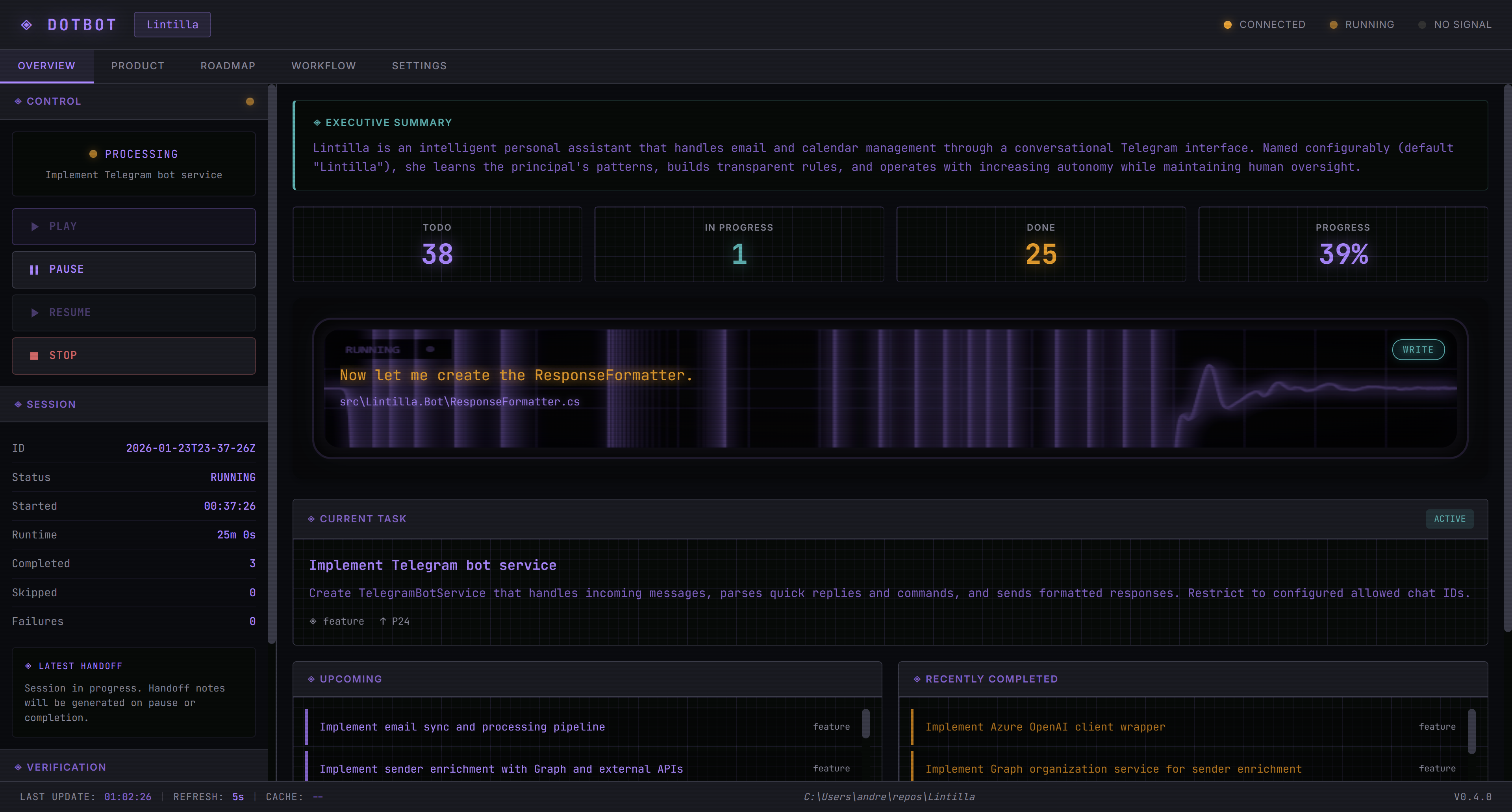
dotbot
by andresharpe·★ 50·Score 45
Zero-dependency MCP server for structured, auditable AI-assisted development in teams.
Overview
dotbot is a comprehensive AI development platform that wraps AI-assisted coding in a managed, transparent workflow. It provides a multi-step pipeline system where every step is tracked, with support for workflow manifests, typed tasks, and enterprise registries. The zero-dependency PowerShell implementation includes an MCP server, web dashboard, and multi-provider AI CLI support with Git integration for version control of all AI sessions and code changes.
Try asking AI
After installing, here are 3 things you can ask your AI assistant:
When to choose this
Choose dotbot if your team needs structured, auditable AI development workflows with multi-provider support and enterprise-grade governance.
When NOT to choose this
Avoid dotbot if you need a lightweight tool with minimal dependencies or if you prefer a language other than PowerShell for your development workflows.
Tools this server exposes
12 tools extracted from the READMEtask_createCreates a new task in the task queue
task_listLists all tasks in the task queue with their status
task_get_nextGets the next available task for processing
task_mark_doneMarks a specified task as completed
decision_createCreates a new architectural decision record
decision_listLists all architectural decision records
session_initializeInitializes a new development session
plan_createCreates a new project plan
steering_heartbeatSends a heartbeat to the autonomous execution engine
dev_startStarts the development environment
dev_stopStops the development environment
session_get_statsGets statistics about the current session
Comparable tools
Installation
Installation
- **Install dotbot globally**:
Install-Module Dotbot -Scope CurrentUser- **Initialize in your project**:
cd your-project
dotbot init
dotbot init -Workflow <workflow-name> -Stack <stack-name>- **Configure MCP Server** in Claude Desktop or similar:
{
  "mcpServers": {
    "dotbot": {
      "command": "pwsh",
      "args": ["-NoProfile", "-File", ".bot/systems/mcp/dotbot-mcp.ps1"]
    }
  }
}- **Start the web dashboard**:
.bot\go.ps1Compare dotbot with
Last updated · Auto-generated from public README + GitHub signals.