fullstack-langgraph-nextjs-agent
by agentailor·★ 106·Score 47
Production-ready Next.js template with MCP integration for dynamic tool loading in AI agents.
Overview
This is a comprehensive Next.js template for building production-ready AI agents with LangGraph.js. It features full Model Context Protocol (MCP) integration allowing dynamic tool loading without code changes. The template includes a human-in-the-loop approval system for tool execution, persistent conversation memory with PostgreSQL backend, and real-time streaming responses. Built with TypeScript, React, Prisma, and Tailwind CSS, it offers a modern tech stack with multimodal file uploads and observability features.
Try asking AI
After installing, here are 5 things you can ask your AI assistant:
When to choose this
Choose this template when building production-ready LangGraph.js agents with MCP integration, especially if you need human-in-the-loop tool approval and persistent conversation memory with PostgreSQL.
When NOT to choose this
Don't choose this if you need a simple MCP server without the full Next.js stack, or if you prefer a different backend technology than Node.js with Prisma ORM.
Tools this server exposes
12 tools extracted from the READMEdynamic_tool_loadingDynamically load tools from MCP servers configured in the database
approve_tool_executionApprove, deny, or modify tool execution before it happens
upload_fileUpload images, PDFs, and text files for multimodal processing
query_postgresExecute queries on the PostgreSQL database with conversation history
stream_agent_responseStream real-time responses from the AI agent using Server-Sent Events
configure_mcp_serverConfigure MCP servers with stdio or HTTP transport
save_model_settingsPersist model provider and selection settings in localStorage
check_tool_availabilityVerify if a tool is available and properly configured
create_conversation_threadCreate a new conversation thread with persistent memory
process_multimodal_inputProcess and analyze multimodal inputs including text, images, and PDFs
toggle_langfuse_loggingEnable or disable Langfuse observability for agent runs
restore_conversationRestore previous conversation state from the database
Comparable tools
Installation
Installation
- **Clone and Install**
git clone https://github.com/IBJunior/fullstack-langgraph-nextjs-agent.git
cd fullstack-langgraph-nextjs-agent
pnpm install- **Environment Setup**
cp .env.example .env.localEdit .env.local with your configuration:
# Database
DATABASE_URL="postgresql://user:password@localhost:5434/agent_db"

# AI Models
OPENAI_API_KEY="sk-..."
GOOGLE_API_KEY="..."
ANTHROPIC_API_KEY="sk-ant-..."- **Start Services**
docker compose up -d # Starts PostgreSQL and MinIO- **Database Setup**
pnpm prisma:generate
pnpm prisma:migrate- **Run Development Server**
pnpm devClaude Desktop Integration
To use with Claude Desktop, add to claude_desktop_config.json:
{"mcpServers": {"langgraph-agent": {"command": "node", "args": ["path/to/your/project/dist/server.js"]}}}FAQ
- How do I add new MCP servers?
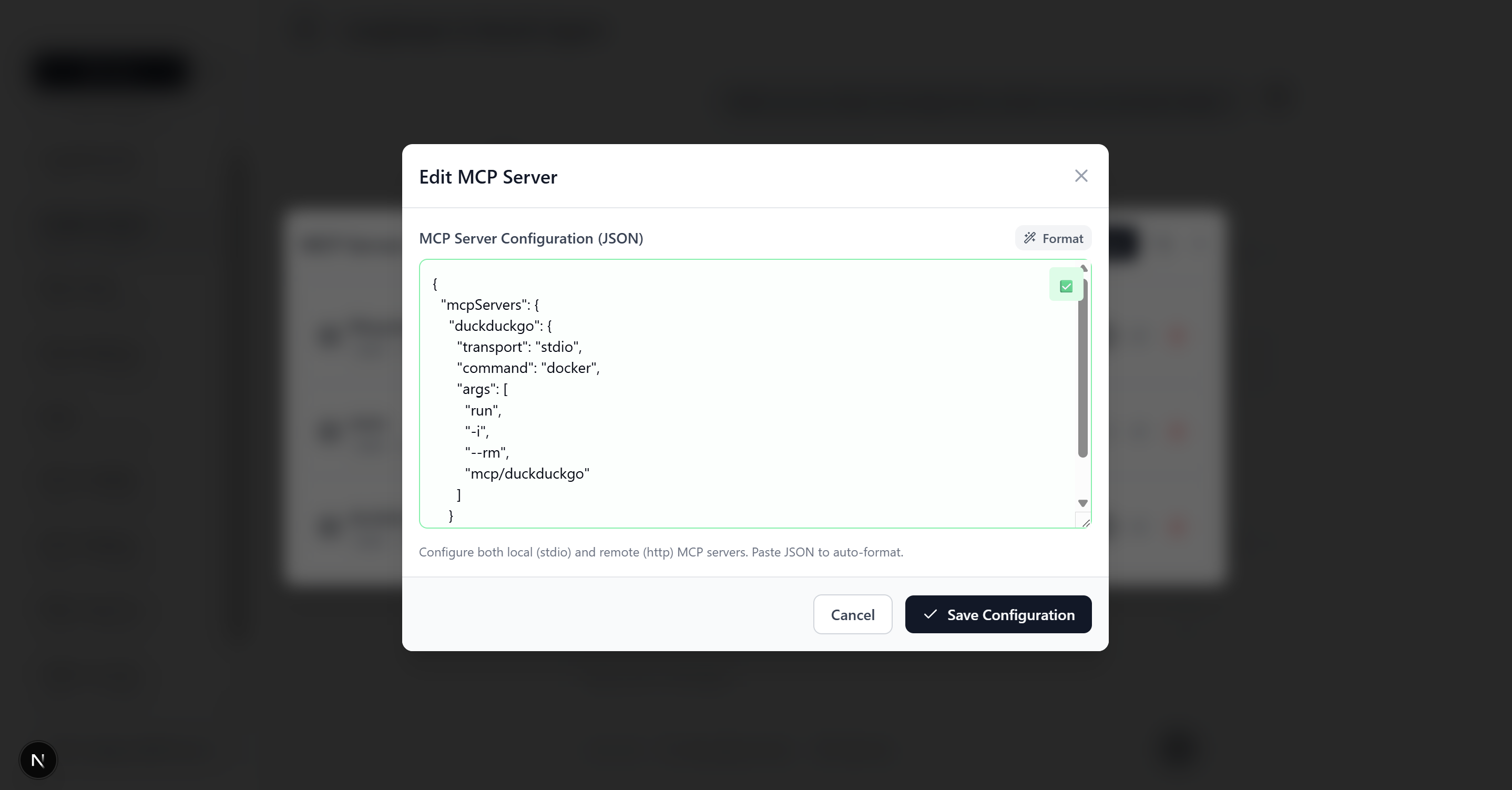
- Navigate to Settings > Add MCP Server. Configure the server with name, type (stdio or http), command/args for stdio servers, or URL for HTTP servers. See README for example configurations.
- Can I use custom AI models?
- Yes, the template supports OpenAI, Google AI (Gemini), and Anthropic models. Simply add your API key to .env.local and select your preferred model in the interface.
Compare fullstack-langgraph-nextjs-agent with
Last updated · Auto-generated from public README + GitHub signals.